Product Listing Instructions
Please Sign to the Following
Please click the Link Below
Email- Fitbest
Password - Fitbest@2025
Shopify Store
Email- olister343@gmail.com
Password - 2025@listerone
Listing Process
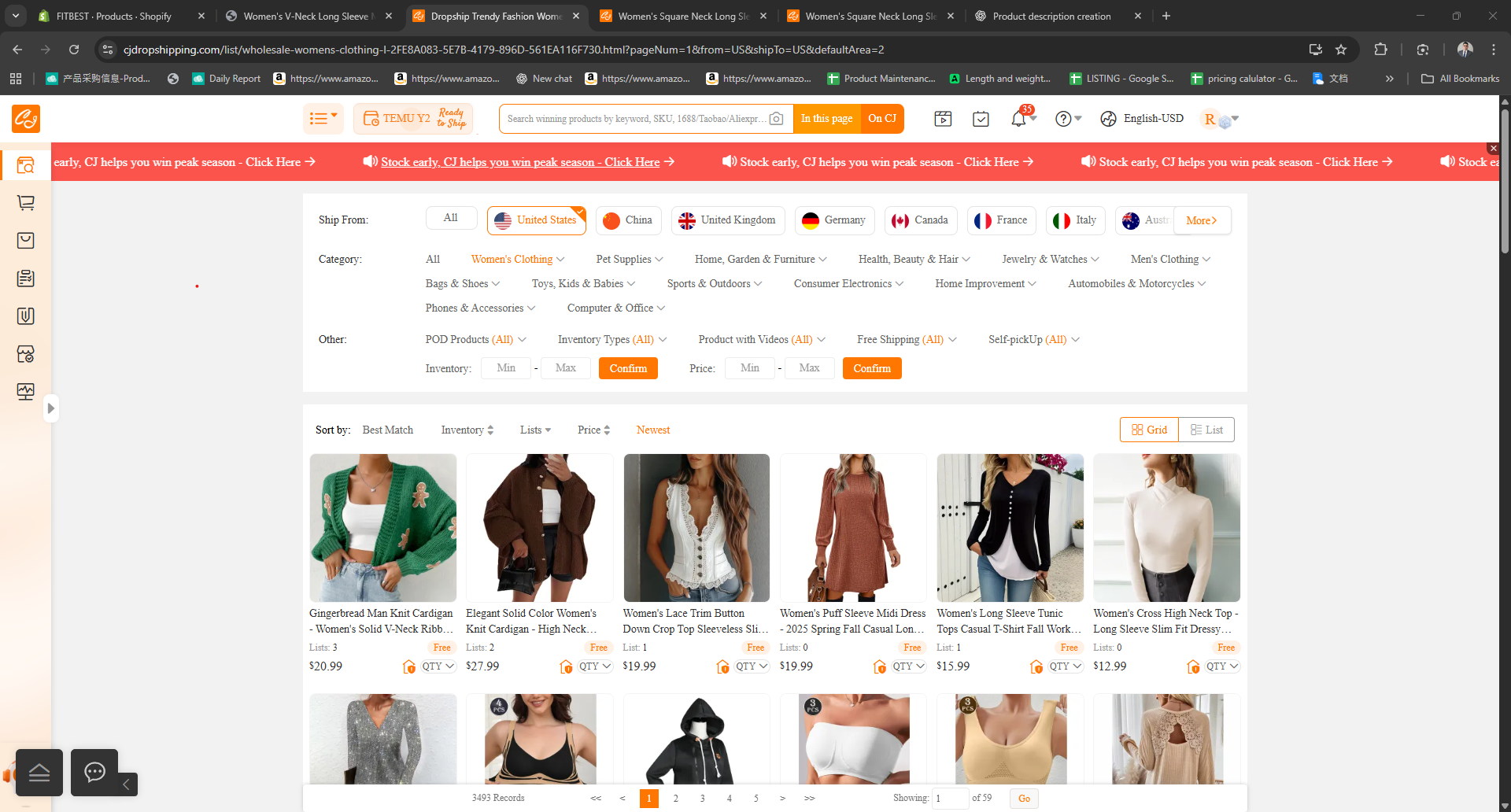
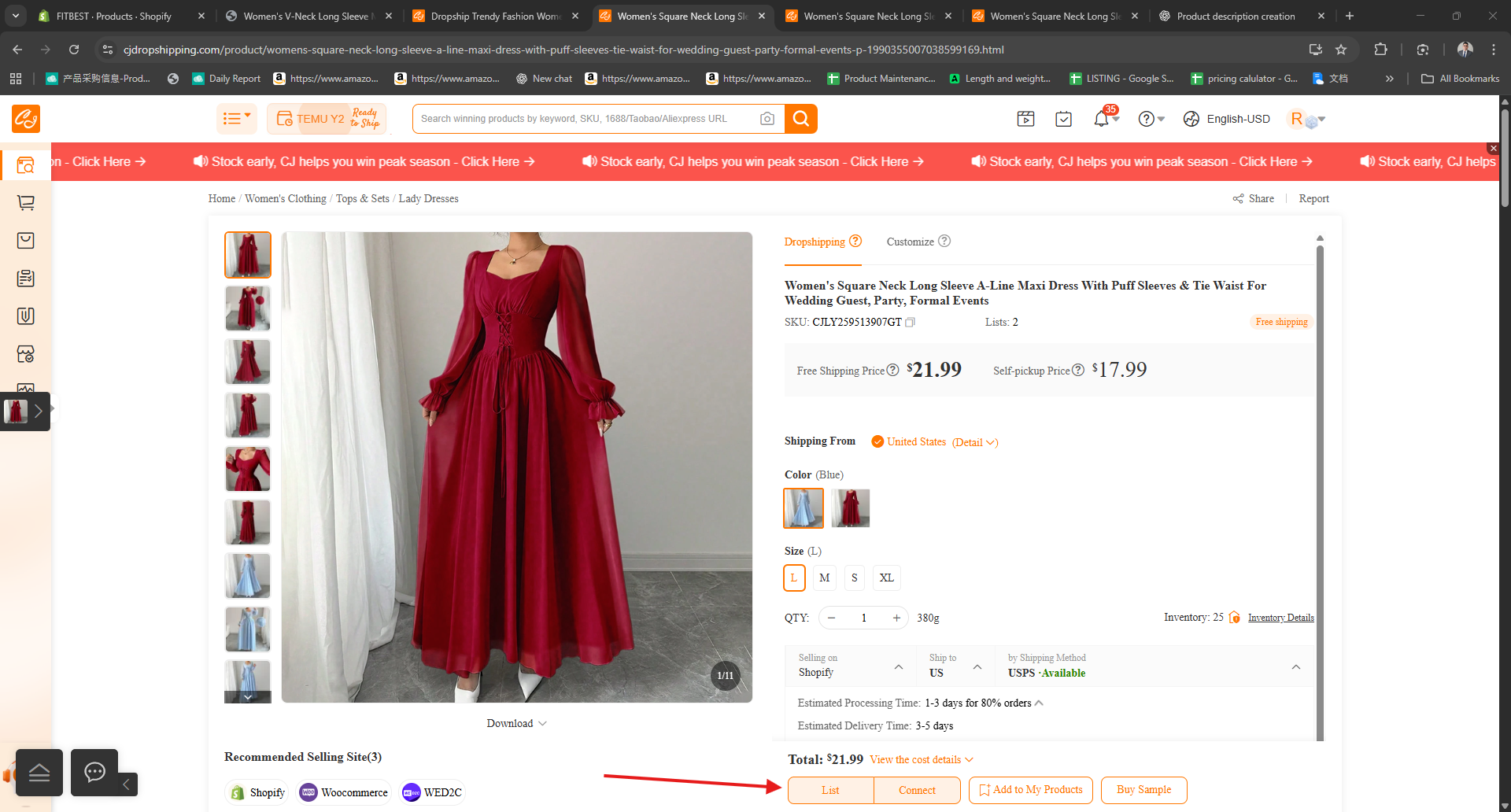
Open Cj Drop Shipping and find a Best Product To find always check if your SHIP FROM is located To United States Find Product and Open the Product you want to List
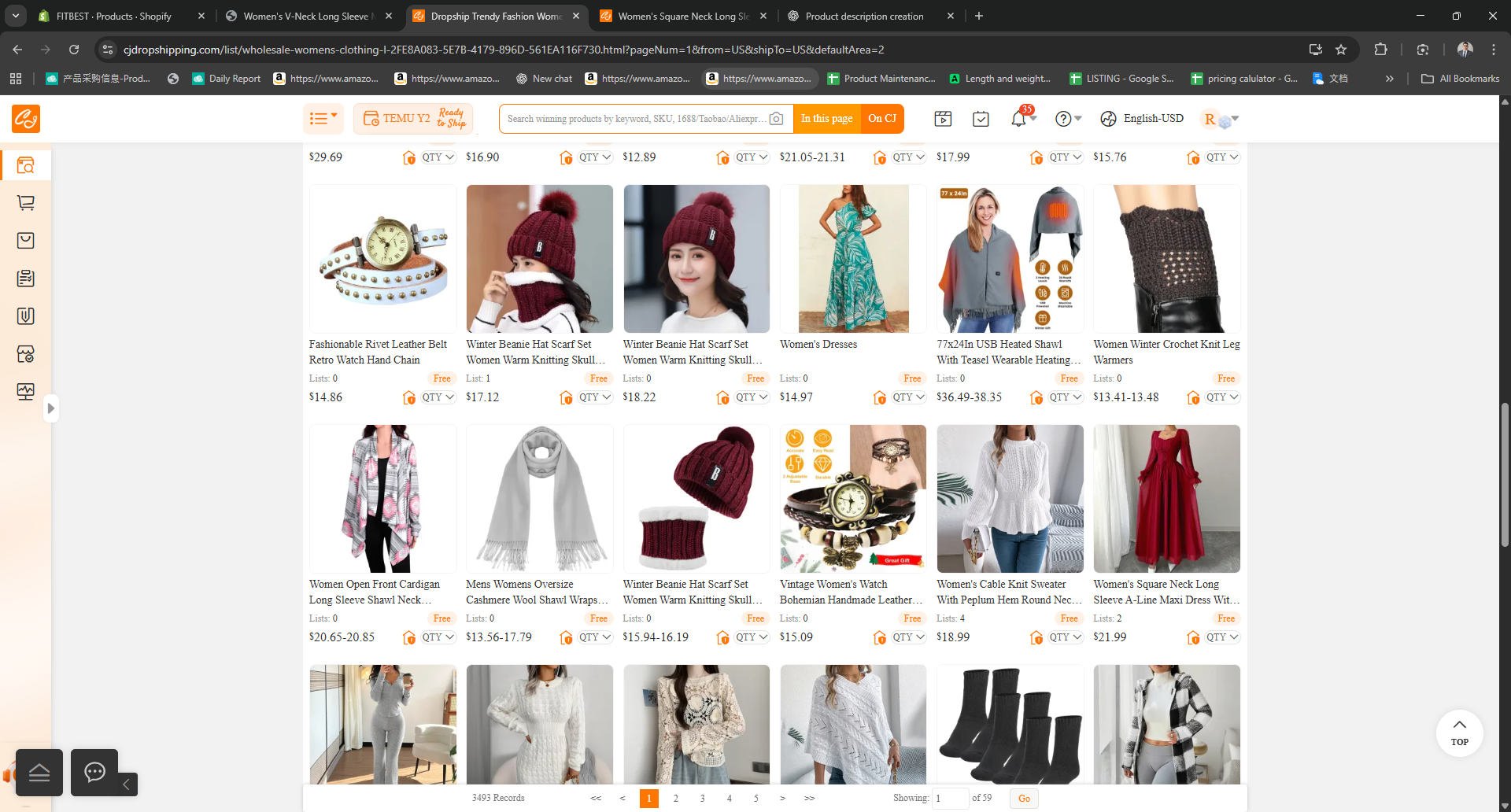
Find Product To be list
If you already find product please open your Baserow
Go to Store ID section and Create Store ID Number Base On the Format we Provide
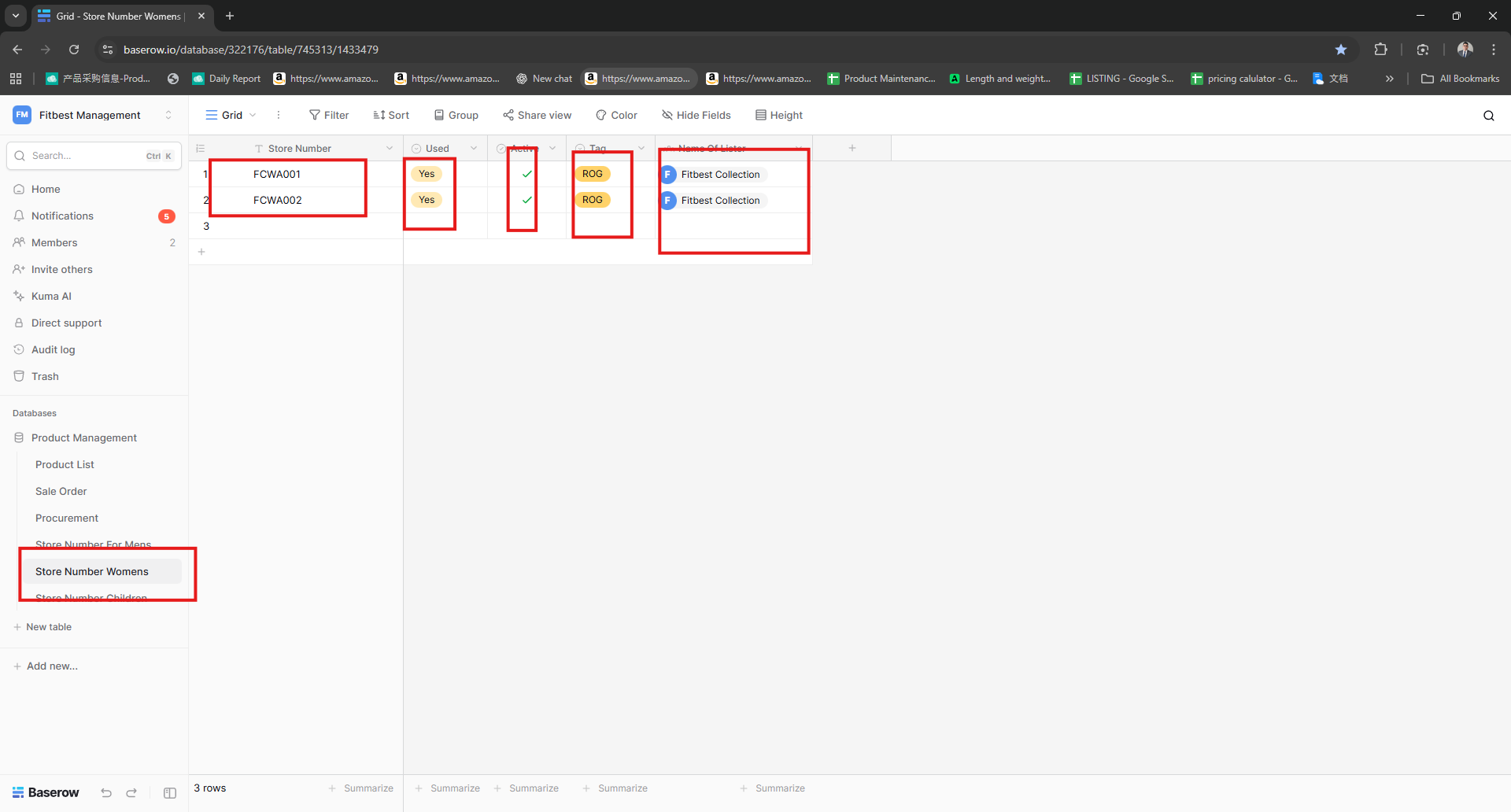
Fill all the Information needed like Store Number Used Active and Tag ,, the Lister name will automatically appear after you create the file
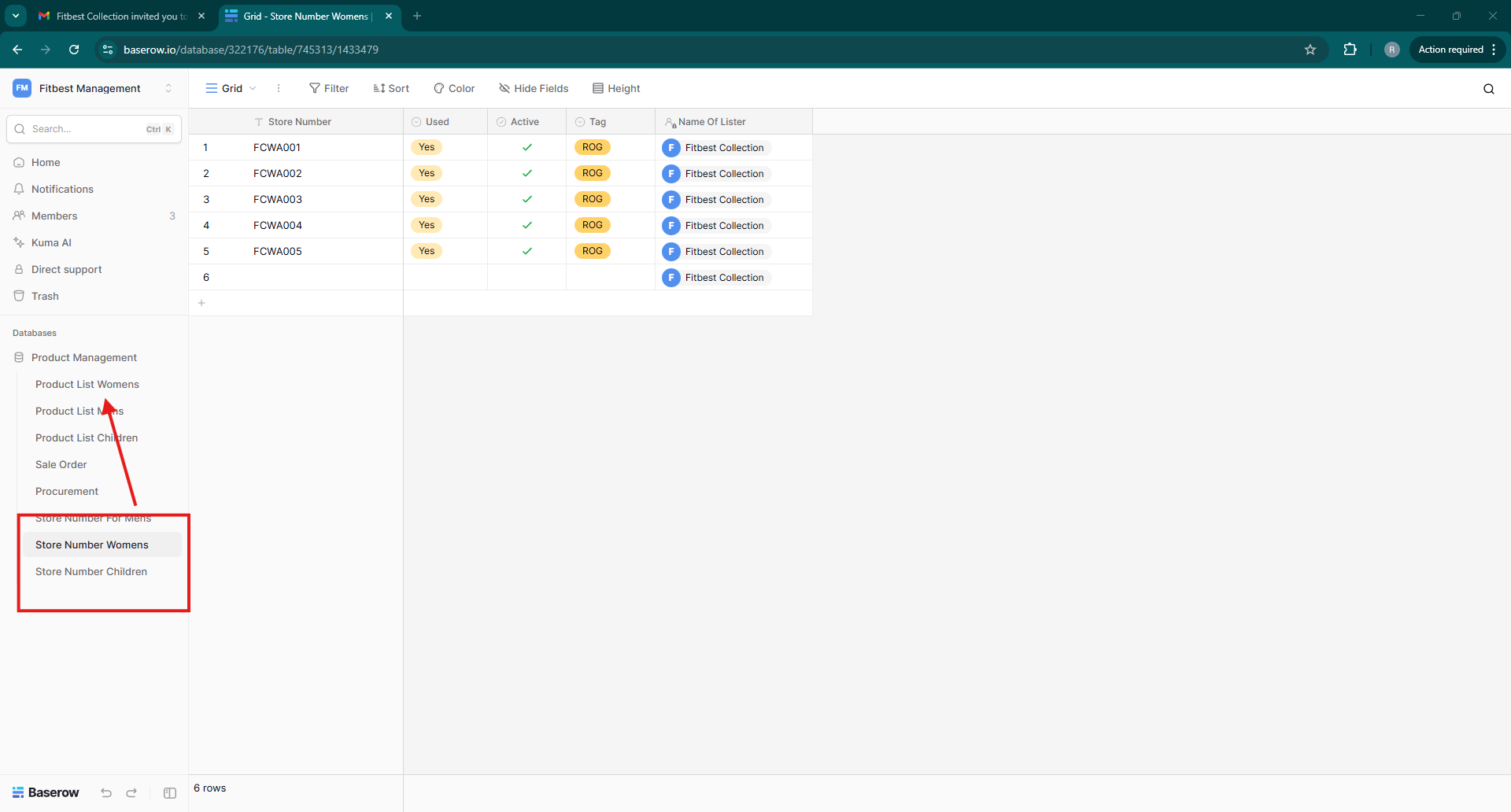
After you create the Store ID NUmber go to the Product list,, Remember,, Use the Format for the correct Product list, if you use Store ID for (Womens Use Product List Women)
And Fill with this Importations
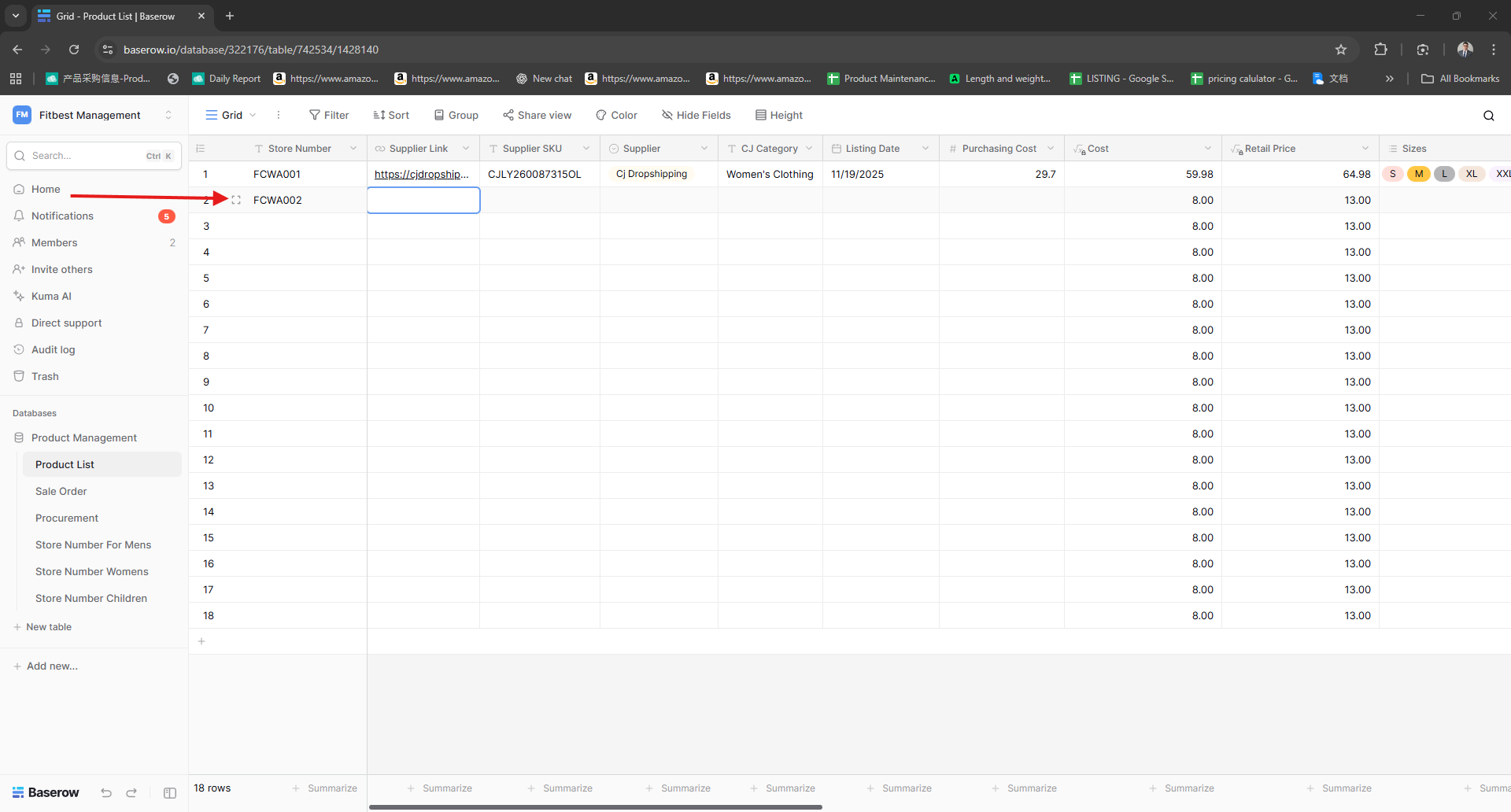
Capture all the Data on the Product You choice,, Capture The Following Data
Supplier Link, Supplier SKU, Supplier, CJ Category ,Listing Date Purchasing Cost Size and Stock,,
Remember: The Retail Price and The Cost will automatically Compute NO need to edit
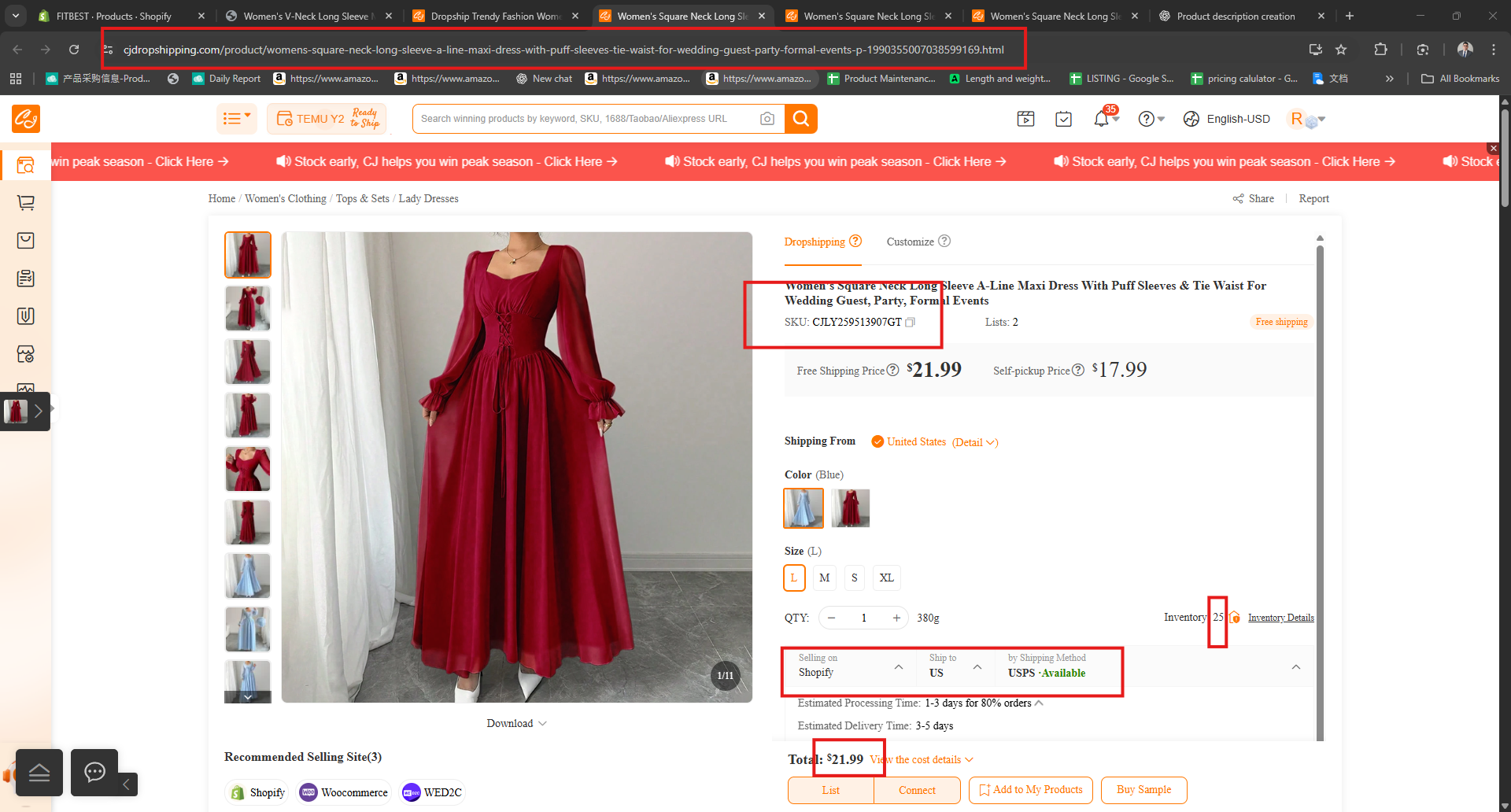
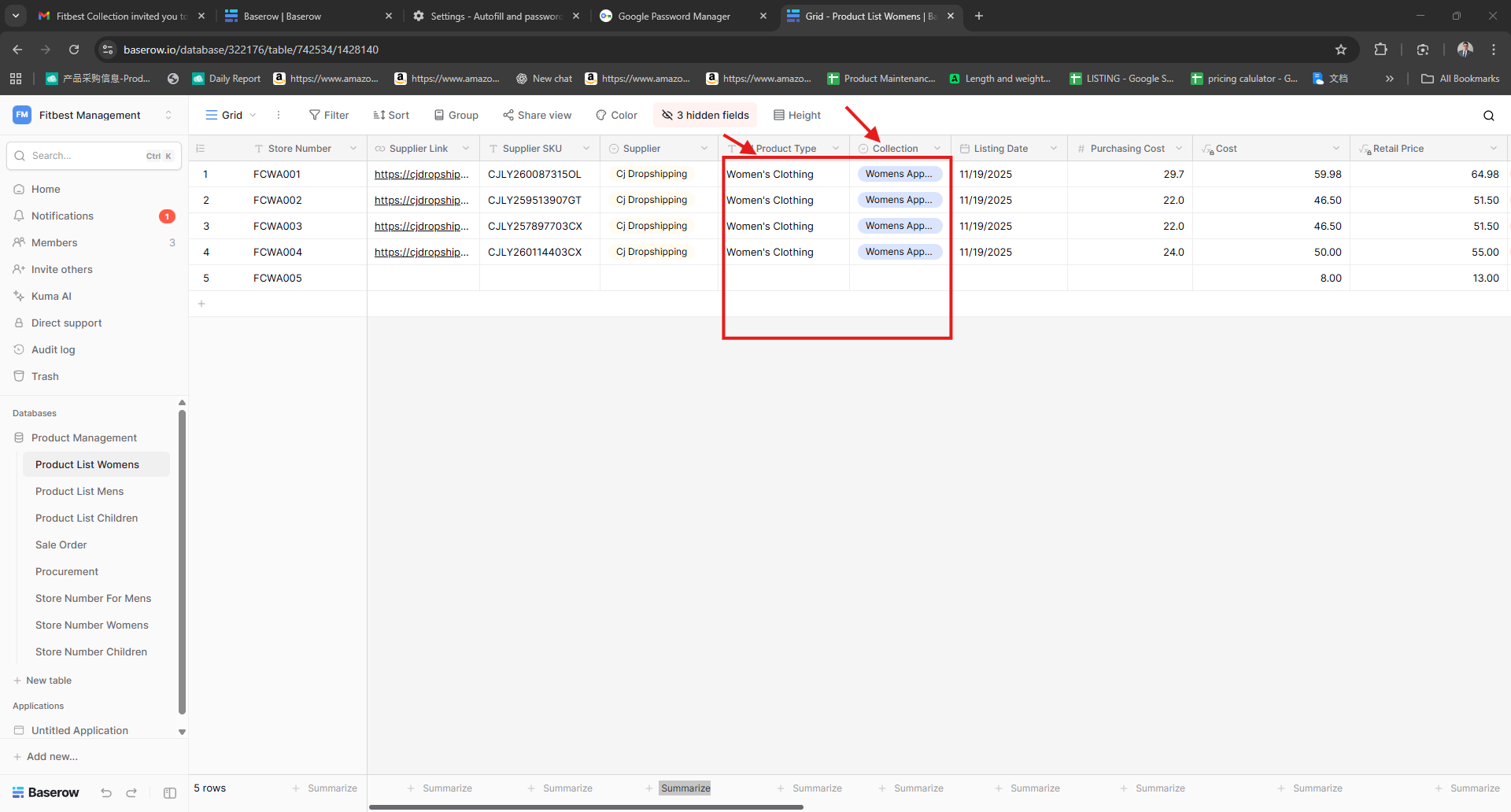
After you fill all the need information up to the tag section
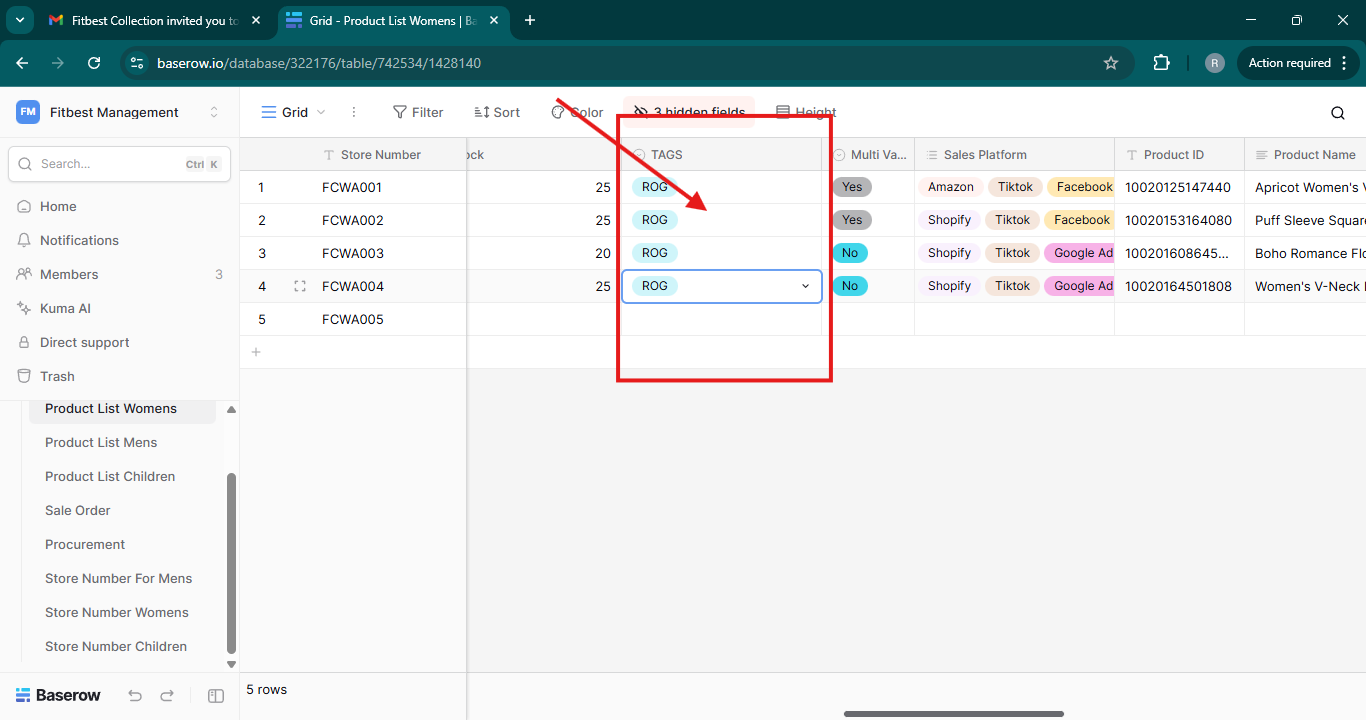
It Will Look like This,, also you can Pop up the item using the inlarge button beside the number
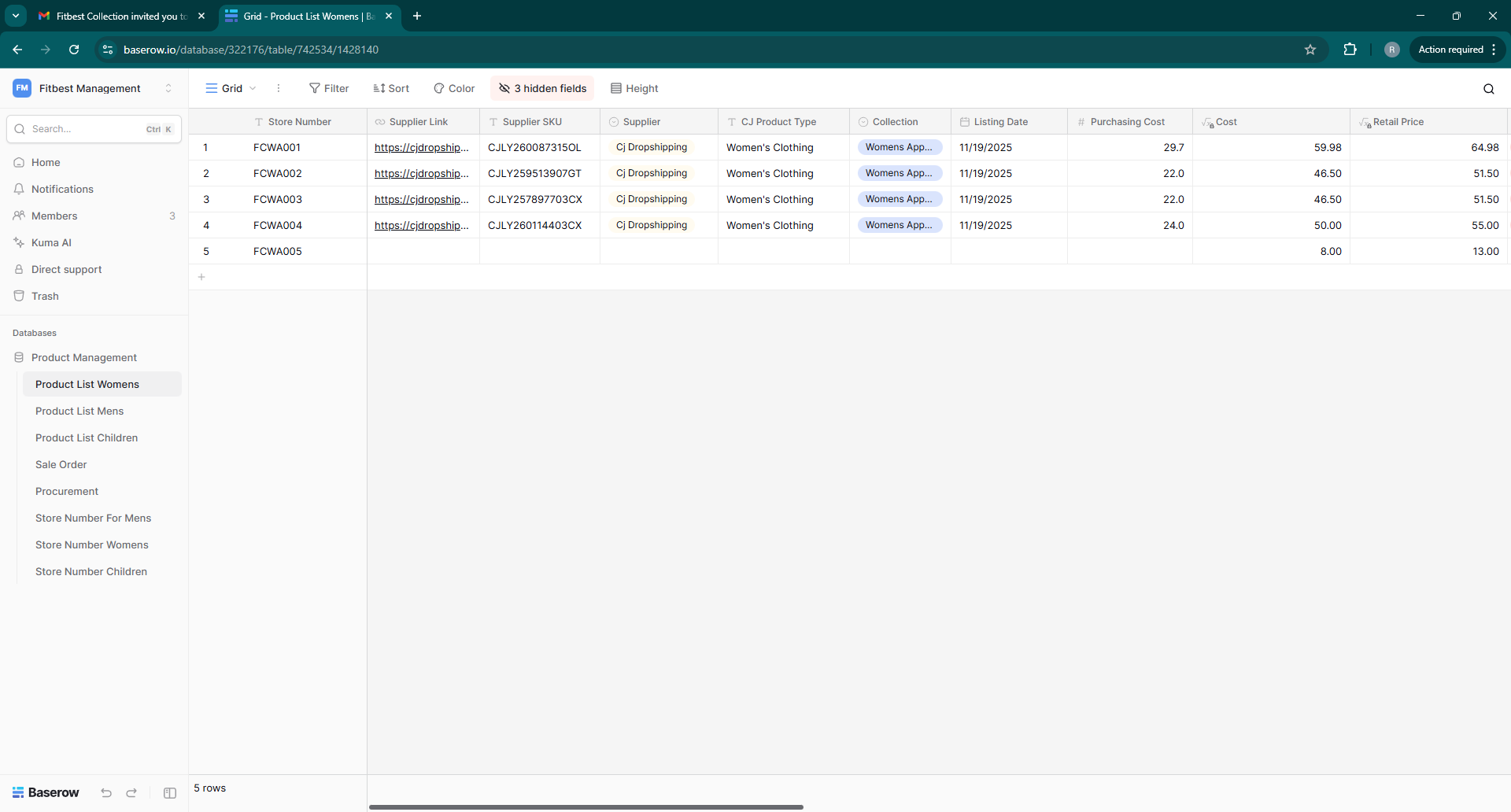
Like This
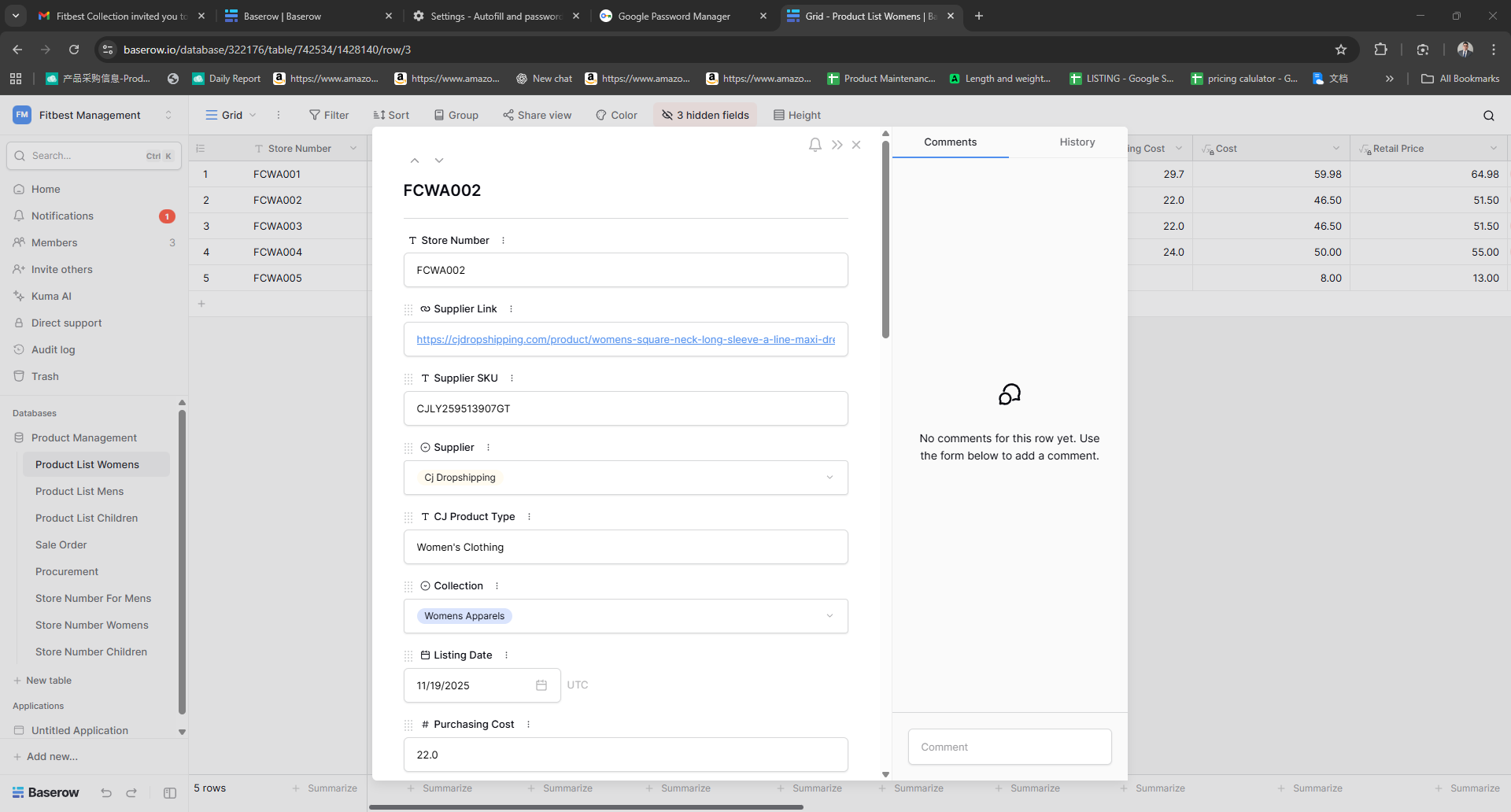
After you finish the Product Management
Go back to Cj DropShipping and click the List below
Please Fill all the Following with Arrow
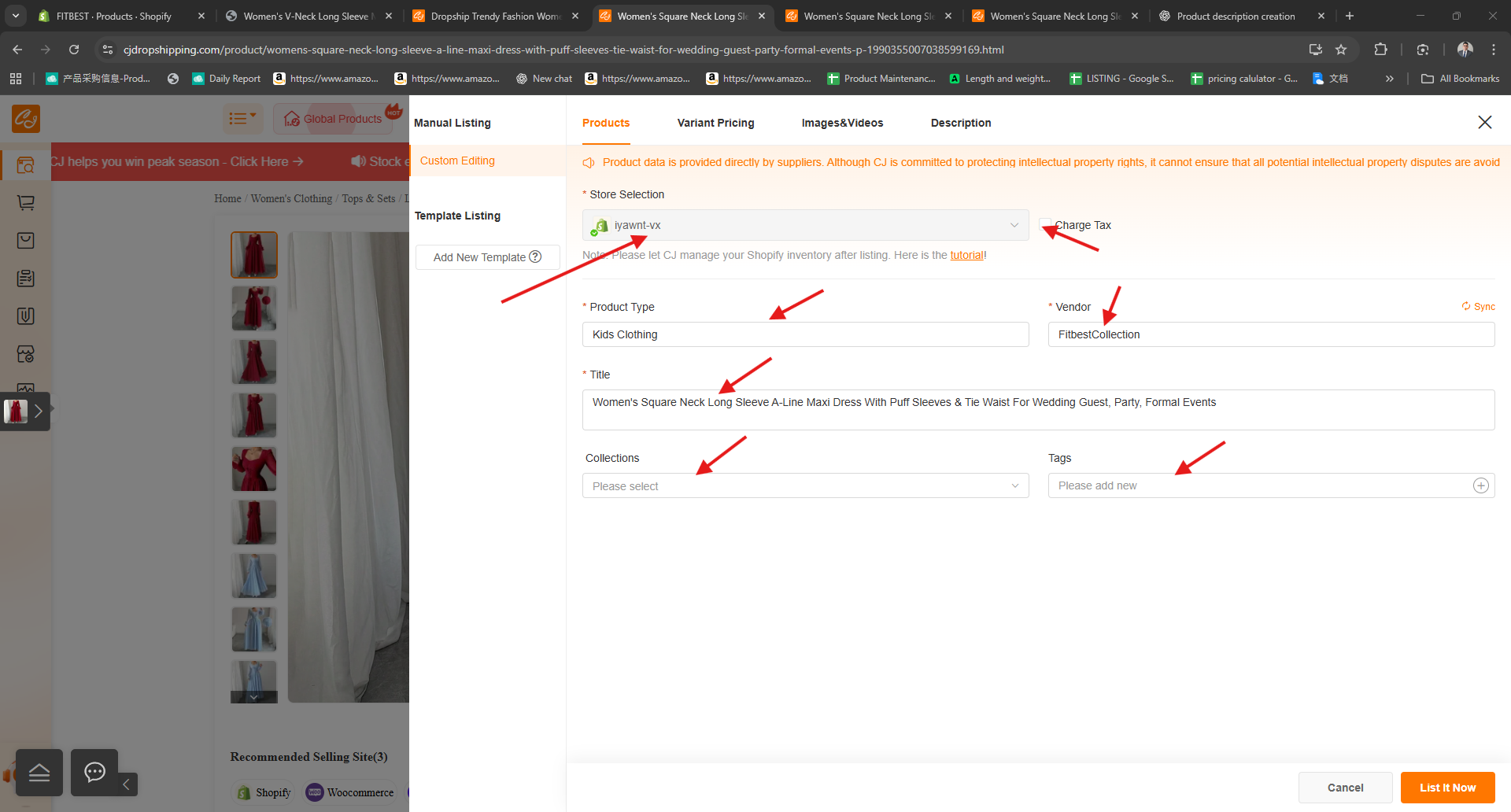
Remember the Store need to be iyawnt-vx
Please Choose the Product Type you put on your Product and Product Collection And always Put (Fitbest Collection) As Your Vendor and add your tag that we provide
Create your Product Title or product name,, you can use Chat GPT or Create new but need to remember that the Name should need to related to the product itself,, don't use the name given by the CJ

After this go to the Variant Pricing
Please check all the data with arrow,, please always the shipping from is US Warehouse, the SHip MY order is United State and THe shipping Method must Not CJ
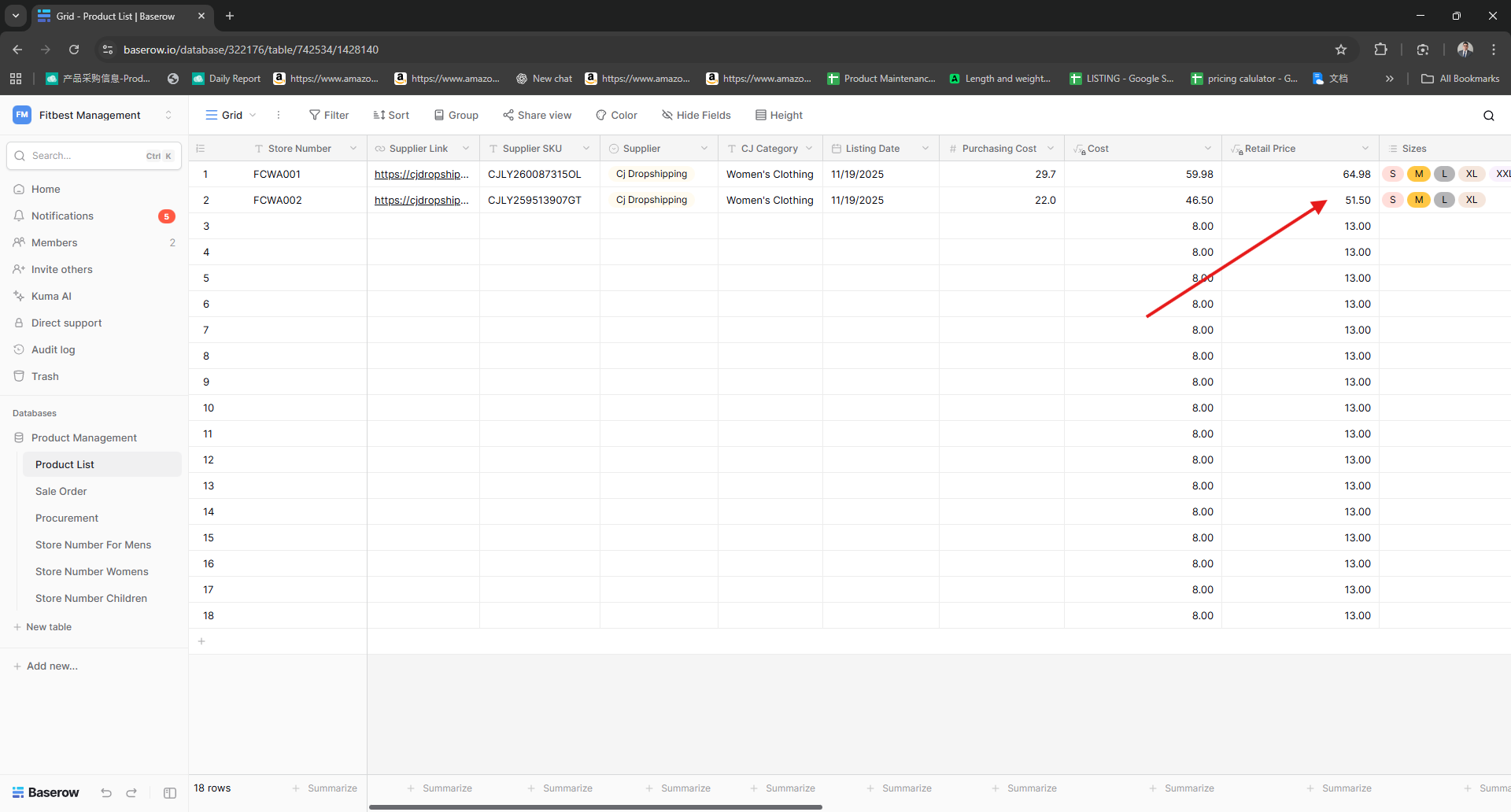
For the Price Please get the higher Price on the list,, if the price on your product sheet is lower change it to the higher price,,
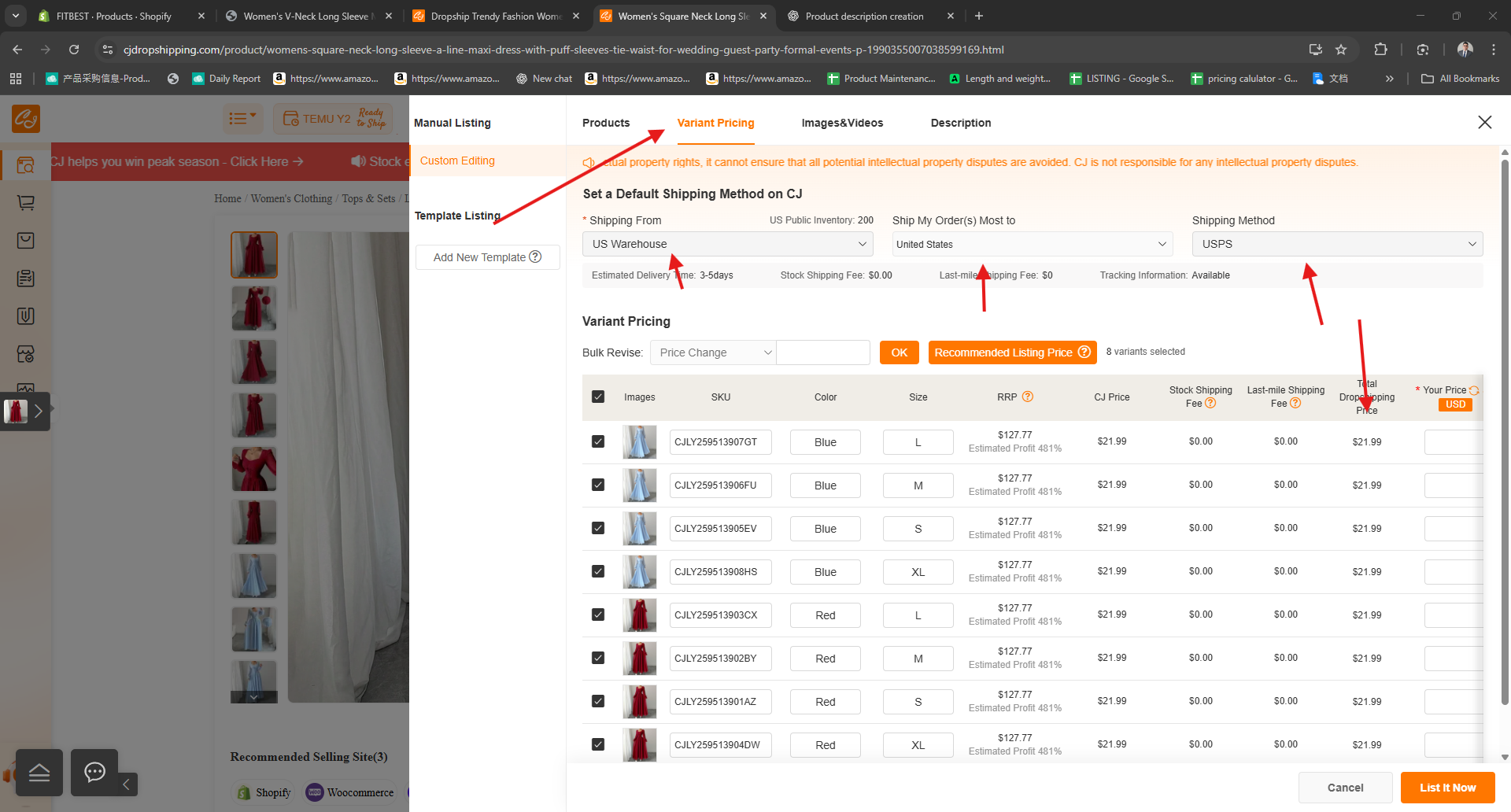
Please Get the Price on the Retail Price on your sheet
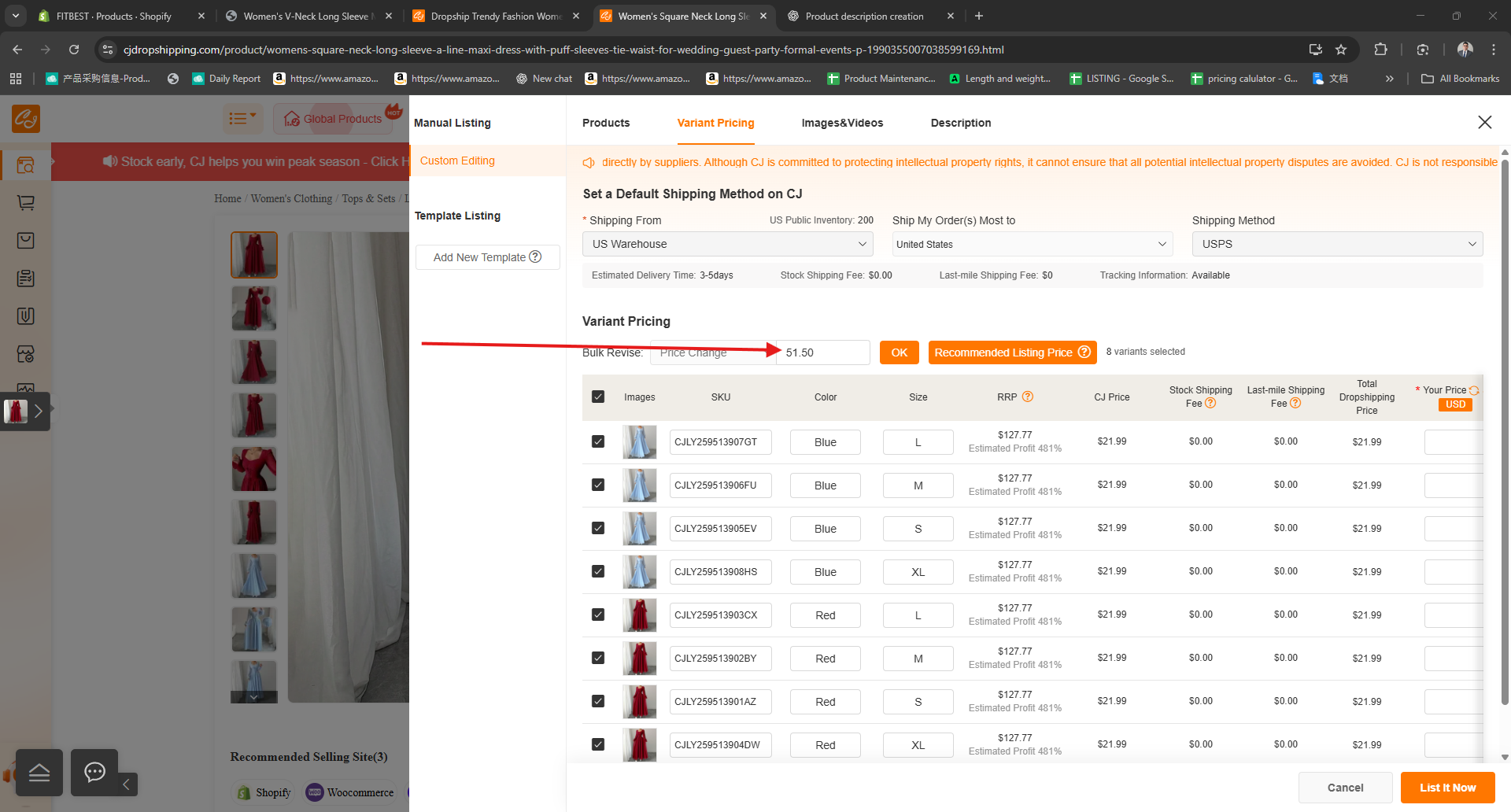
And Paste it to the Bulk Revise on the top of the item variant and Click OK
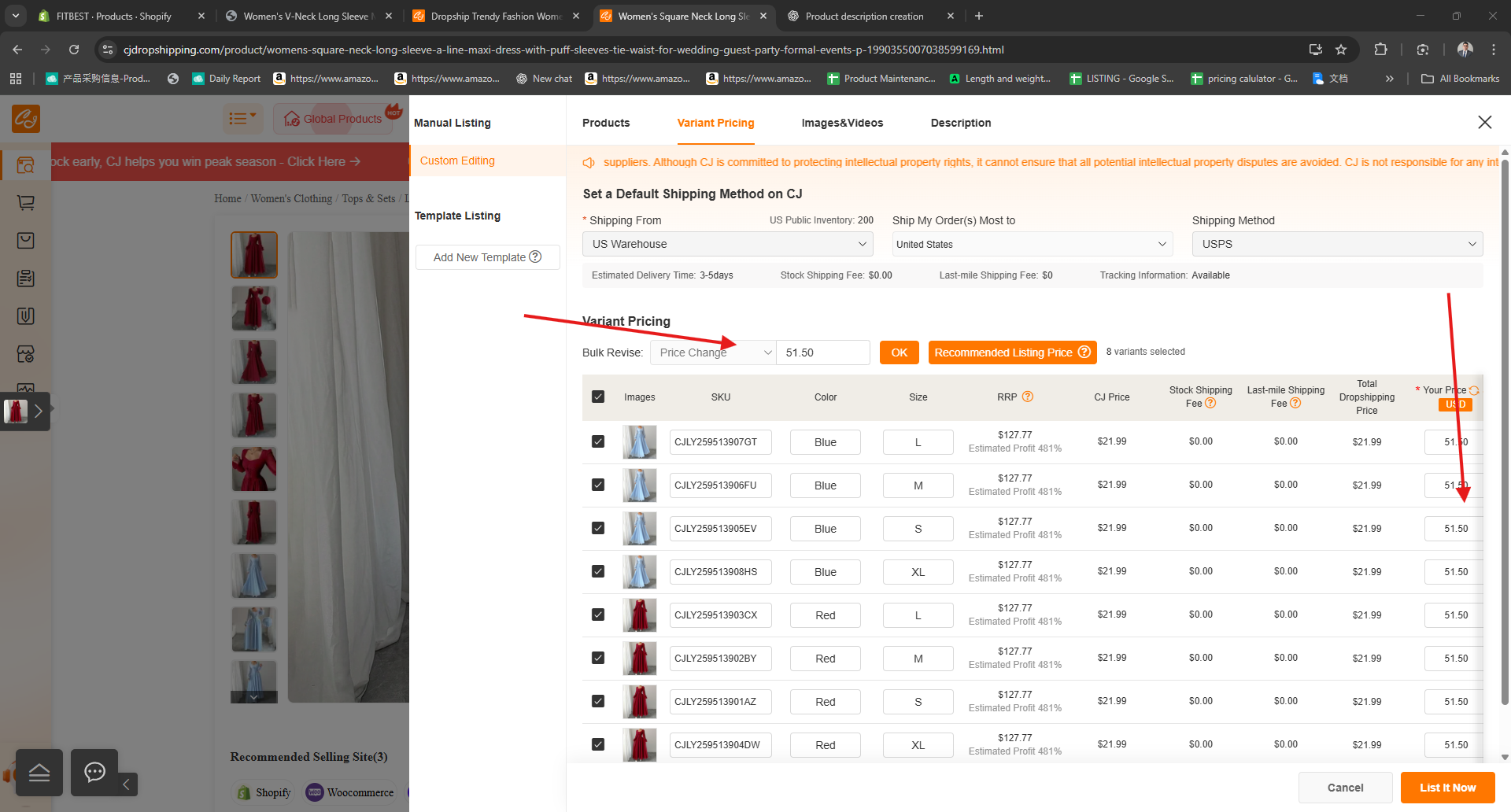
It will automatically update all the price on all your variant
After this Go to the Image and Videos Section
Check if there's a image not related to the product uncheck and it will not shown on our shop
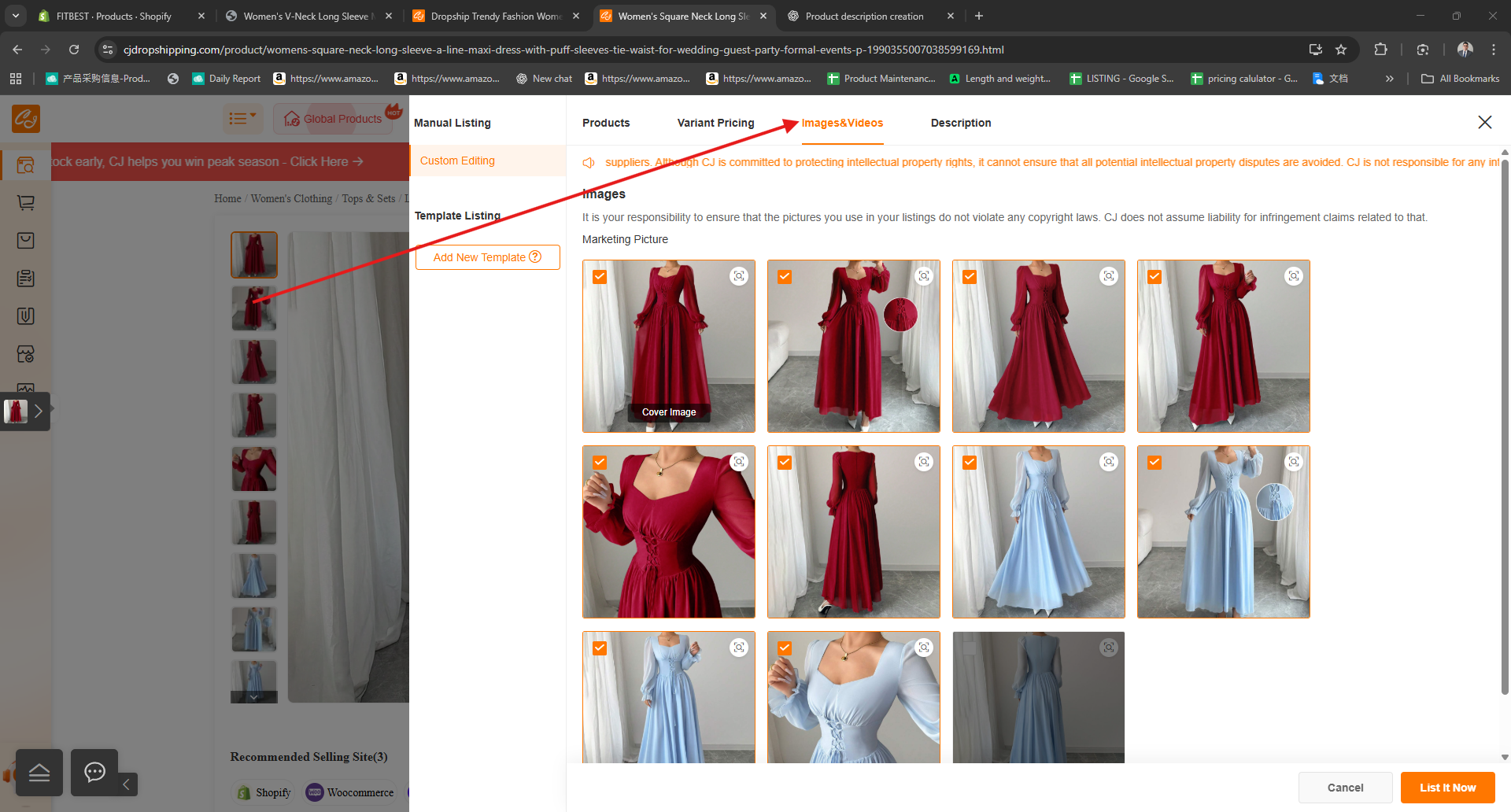
Now we use Chat gpt for our Description please open your Chat GPT
the Product descriptions' need to be 1500 with 8 product features, and lundy instruction for apparels

Now go to Description and remove all the words ,but leave all the image
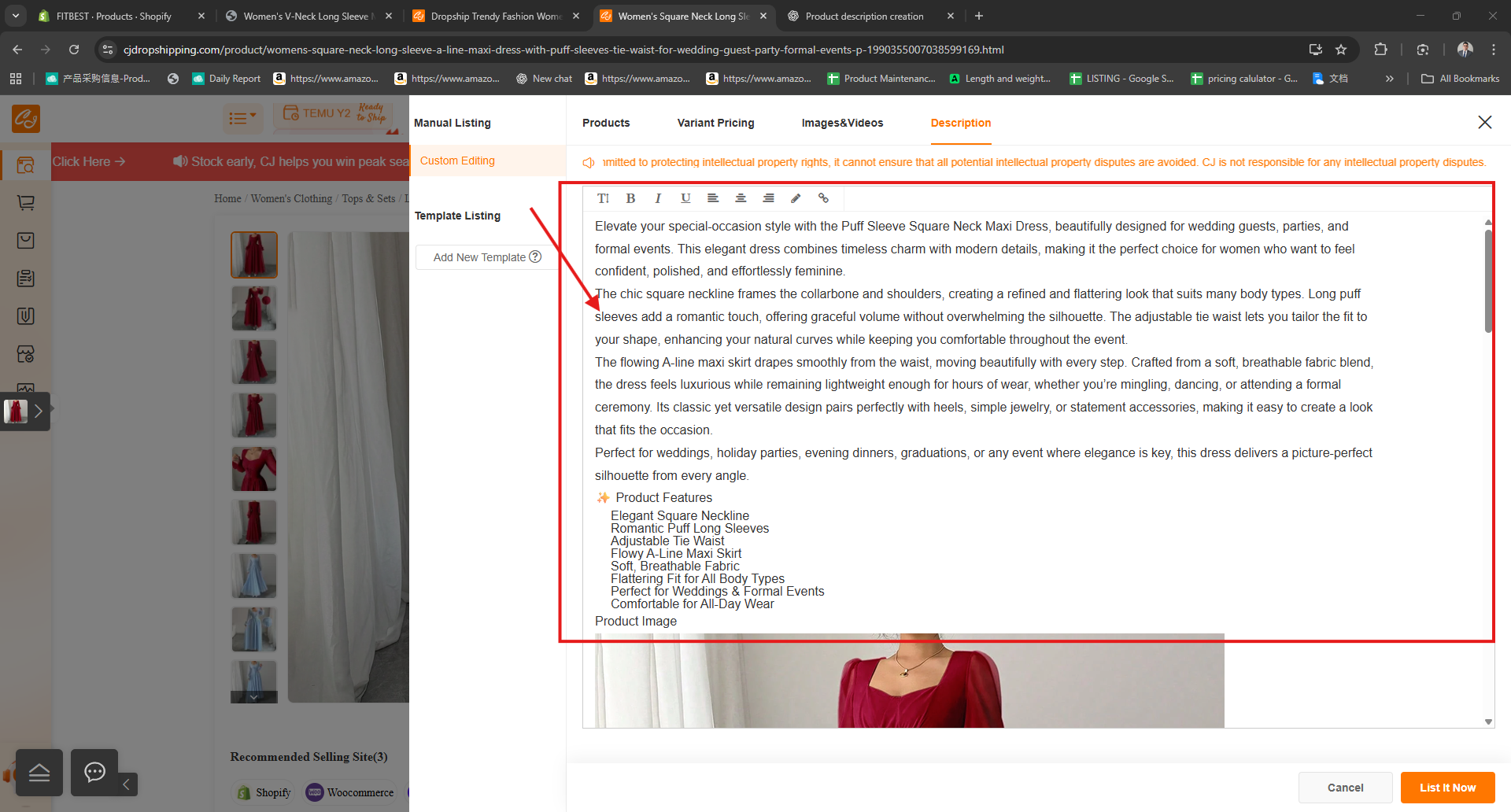
Please always Place the Word on the top of th image
Now we hit the List Now and wait

If you see this
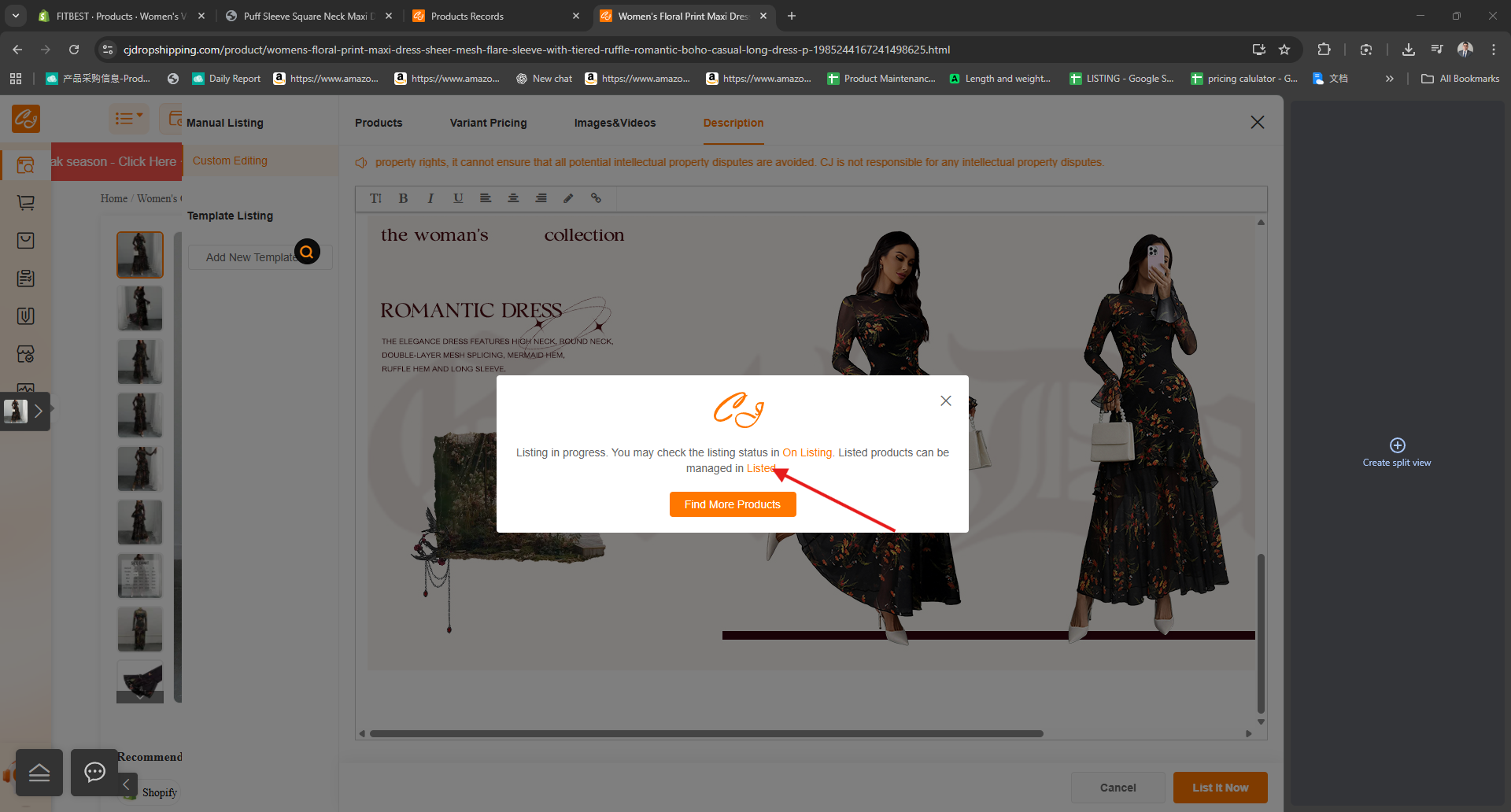
or this now you can go to shopify store
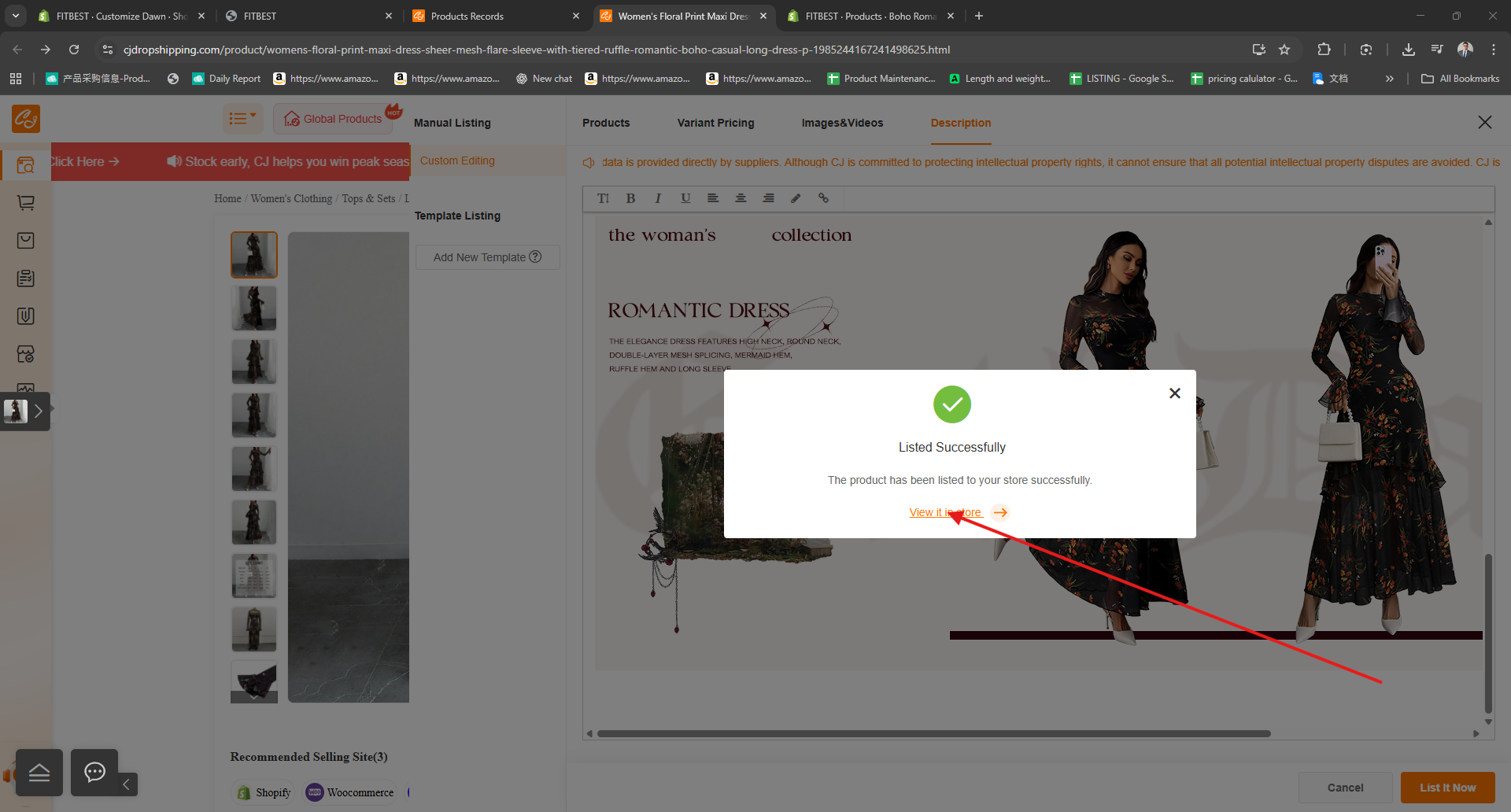
Edit Product On shopify Store
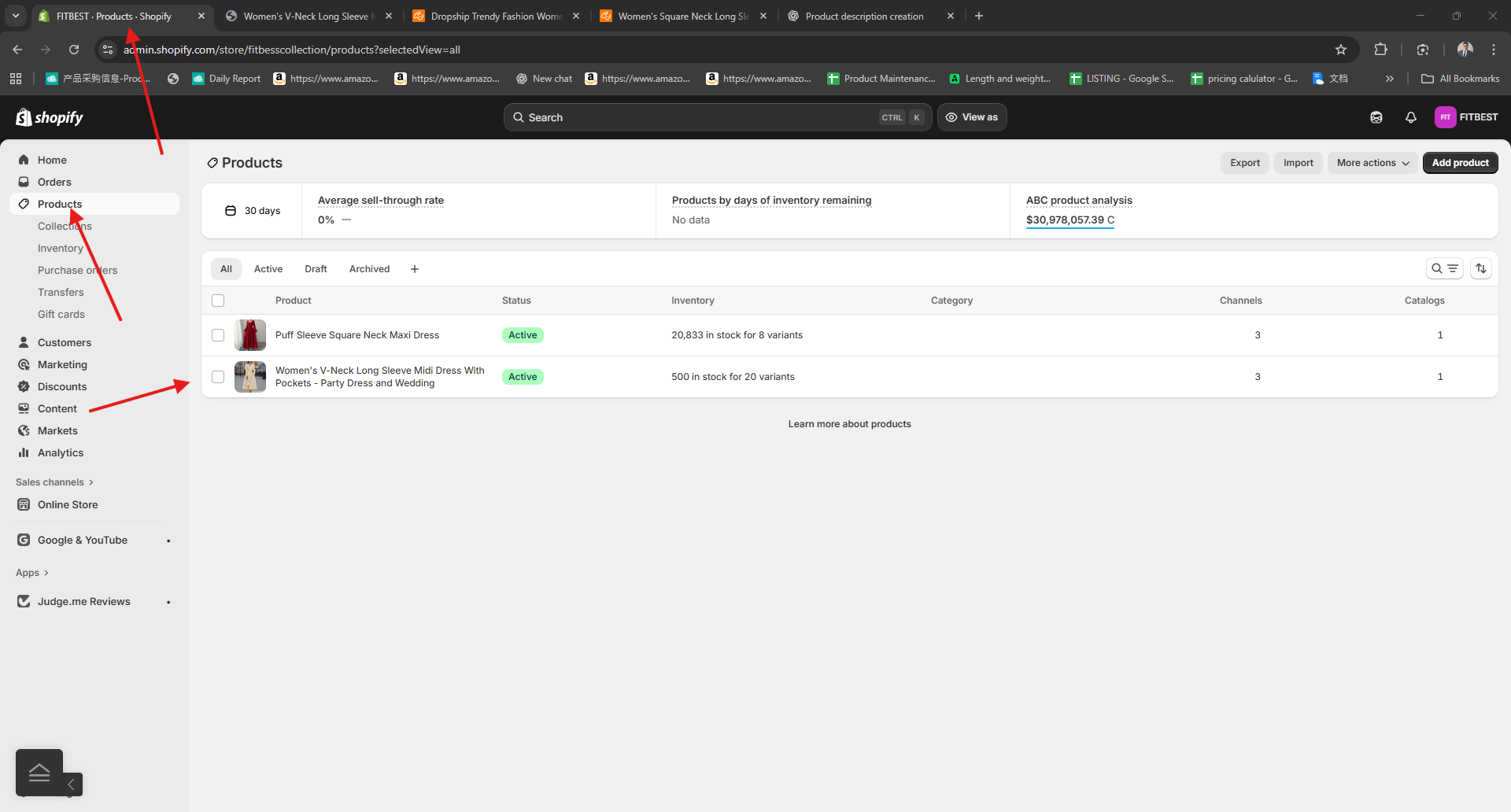
Please Go to The Shopify Store and open
Please Go to The Shopify store Product Tab
Look for your product and click to edit
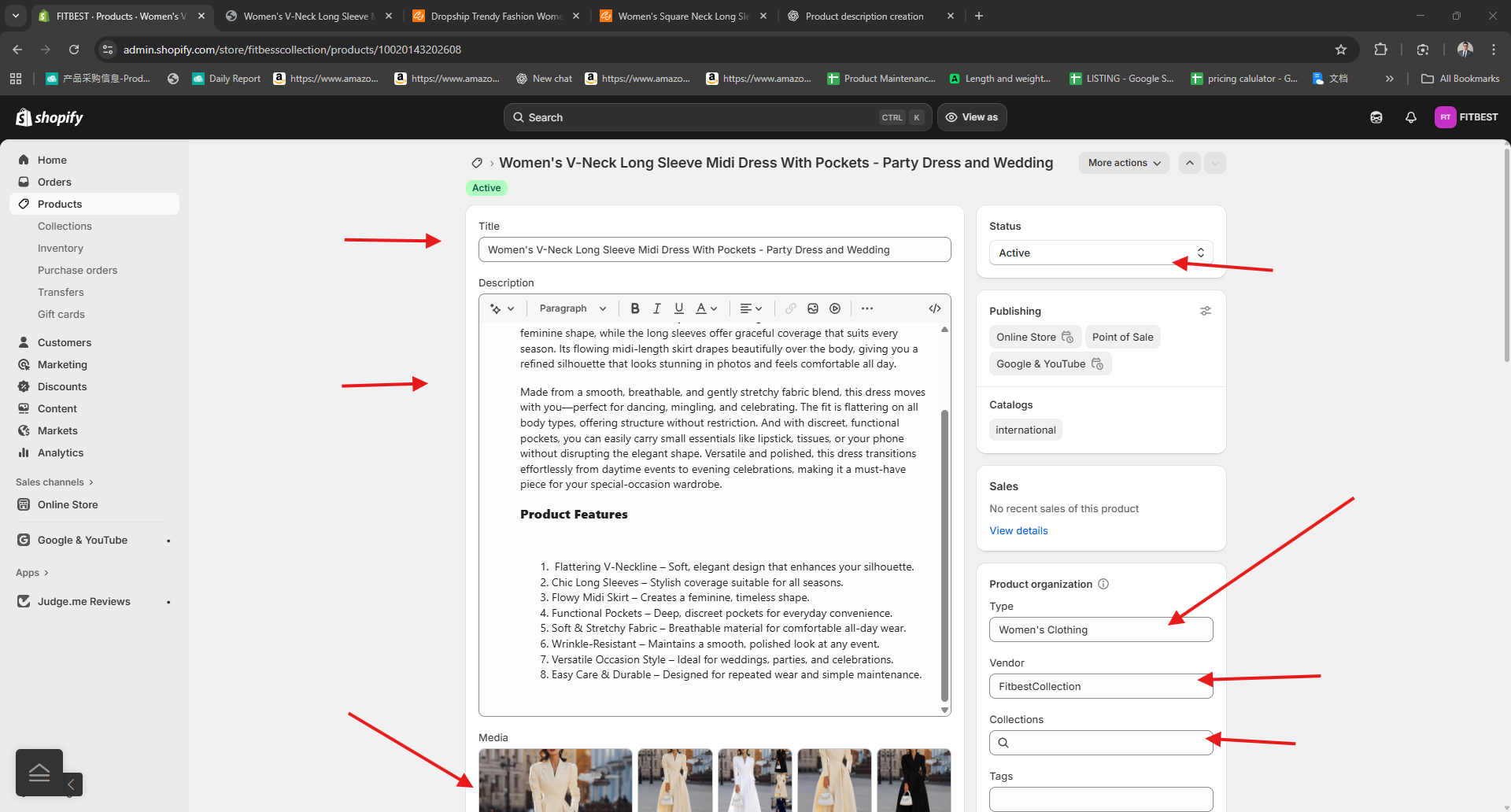
Check all the item with red arrow..
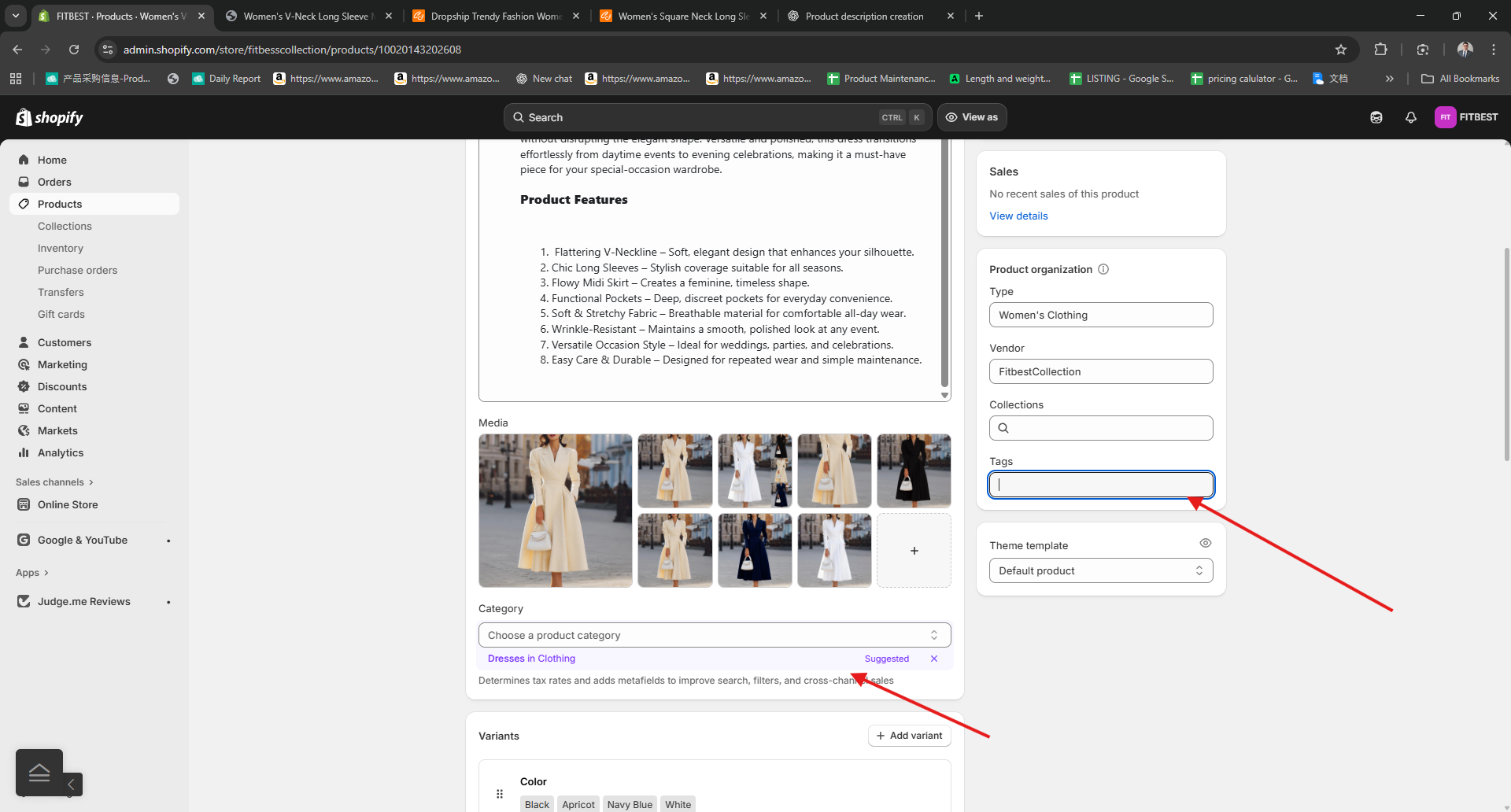
Put your collection ang tags
Click the Auto Category
click the Popup suggestion on MetaField And Add If Needed
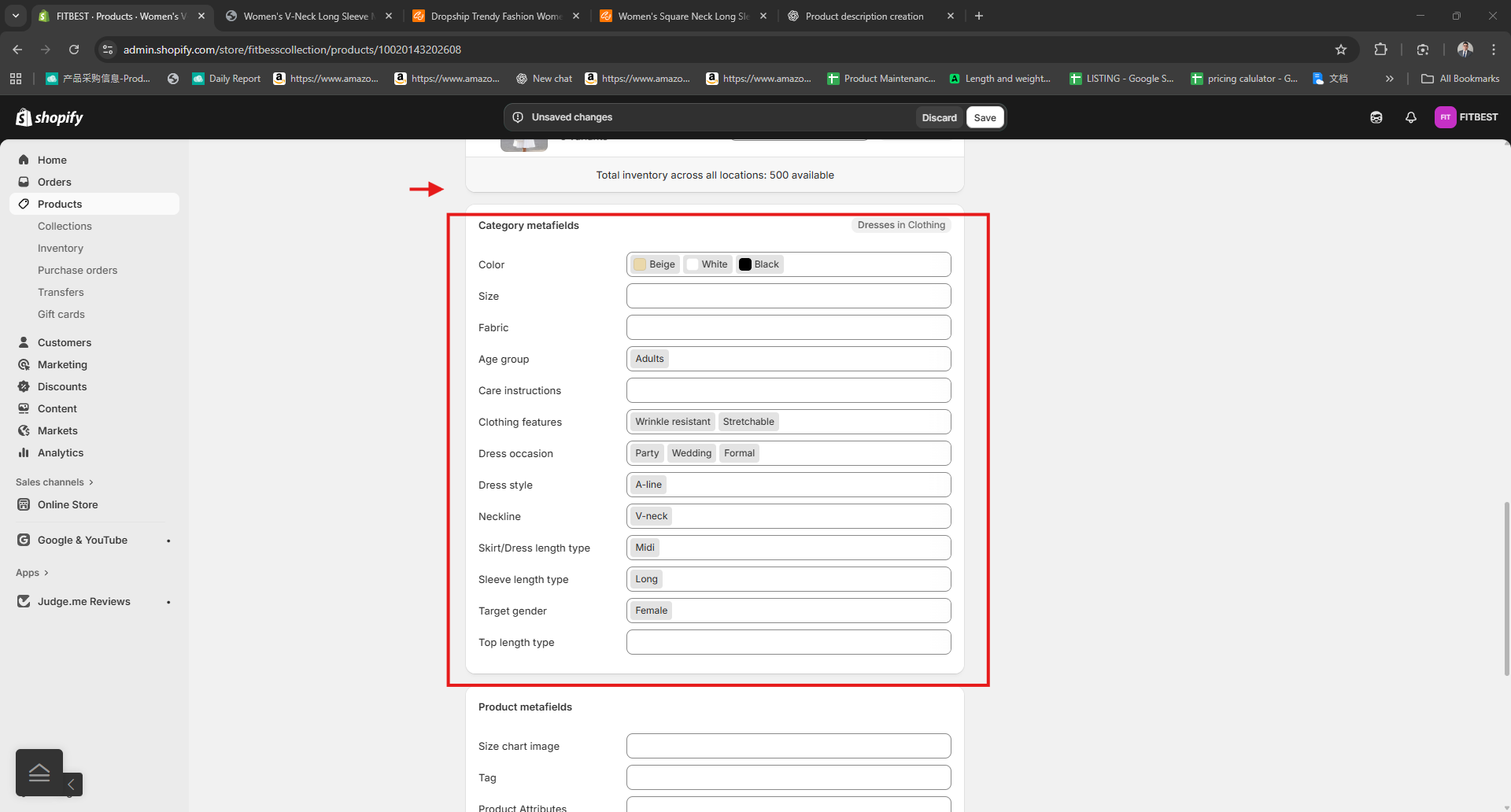
Add the Product Metafields
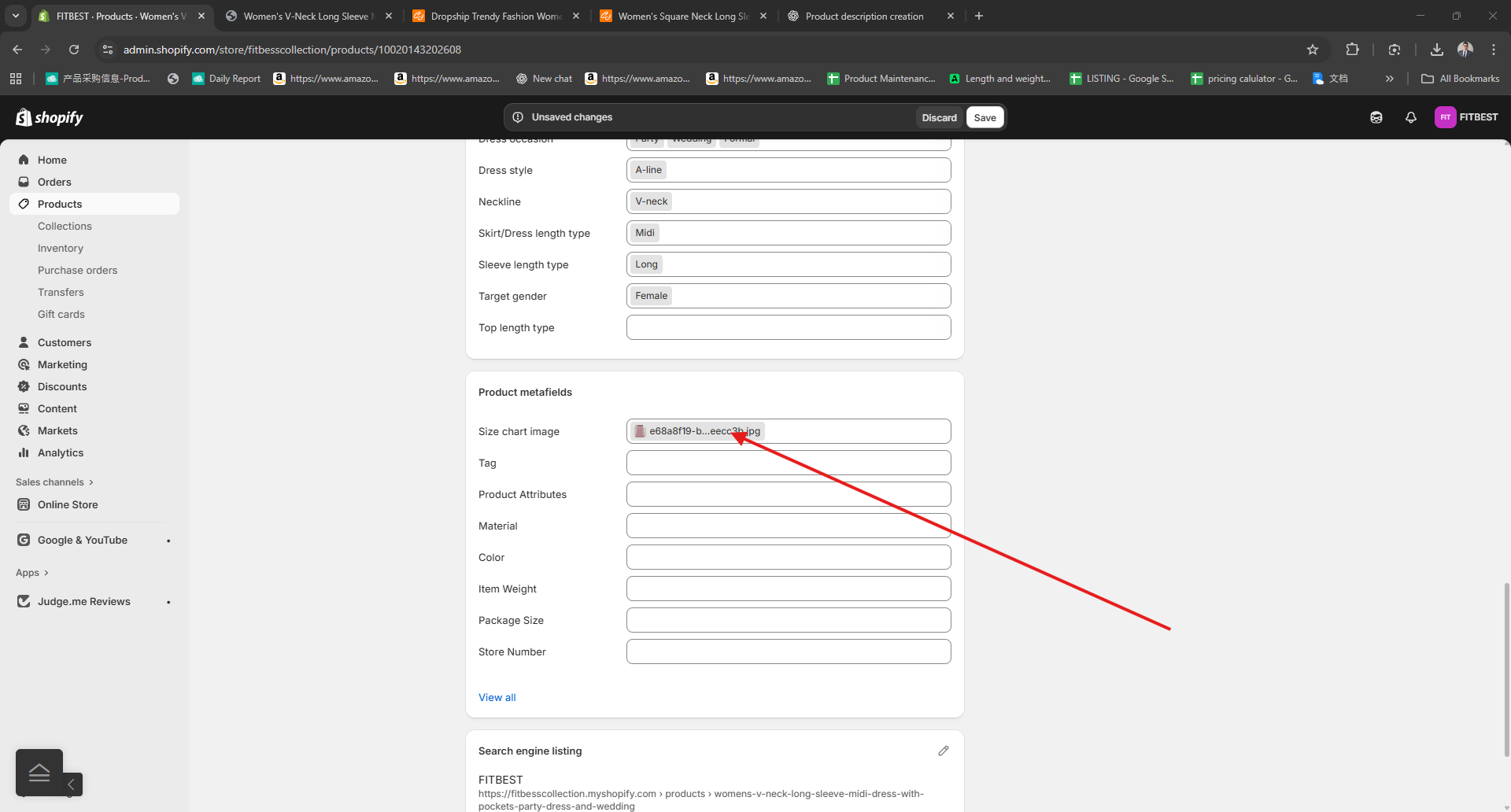
You will see this on your Product In Cj
Please don't use Clothes as Materials Always use 100 % Polyester or find the material on the product Description
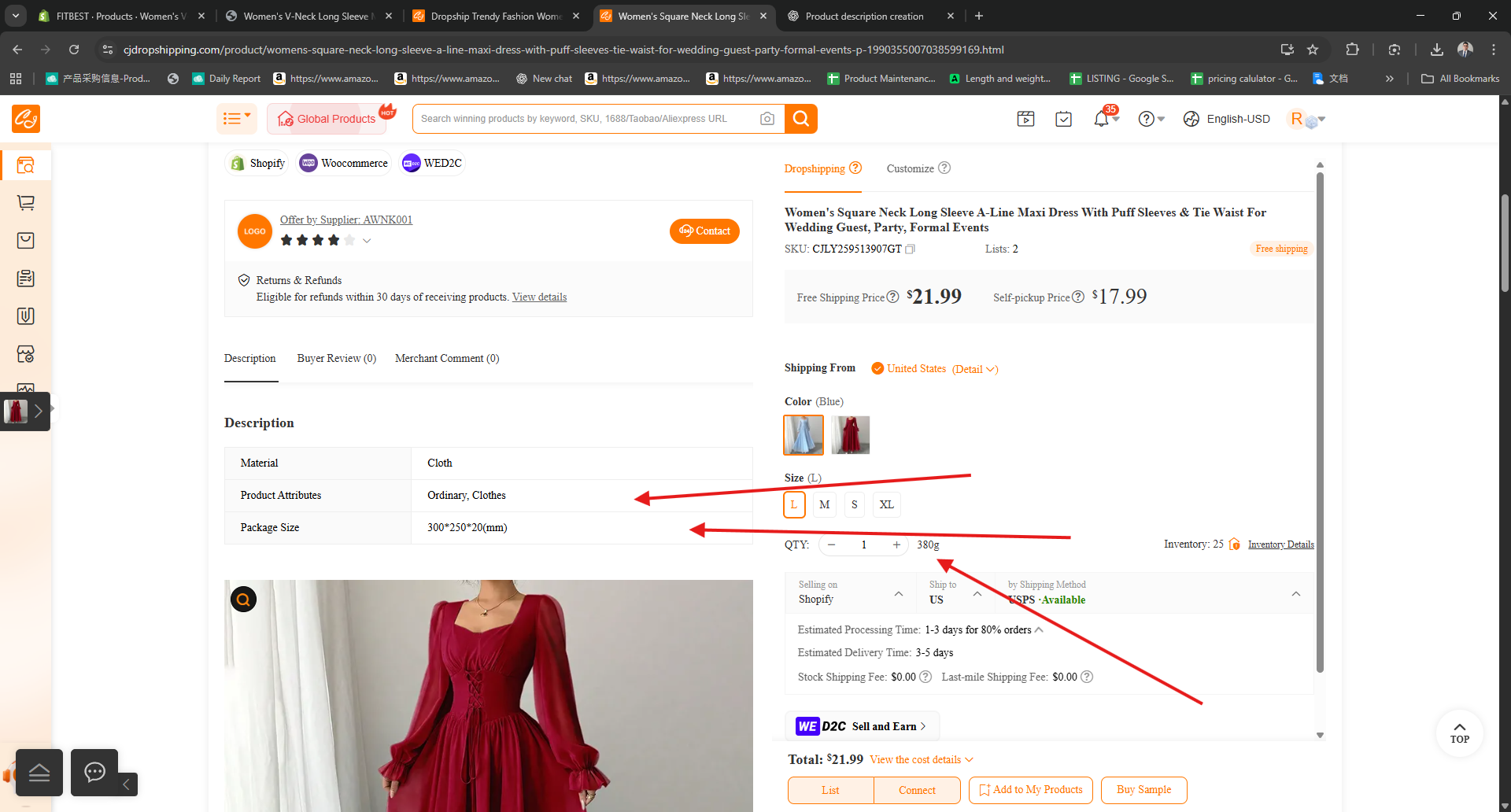
Put all the Details ,and add size chart Image
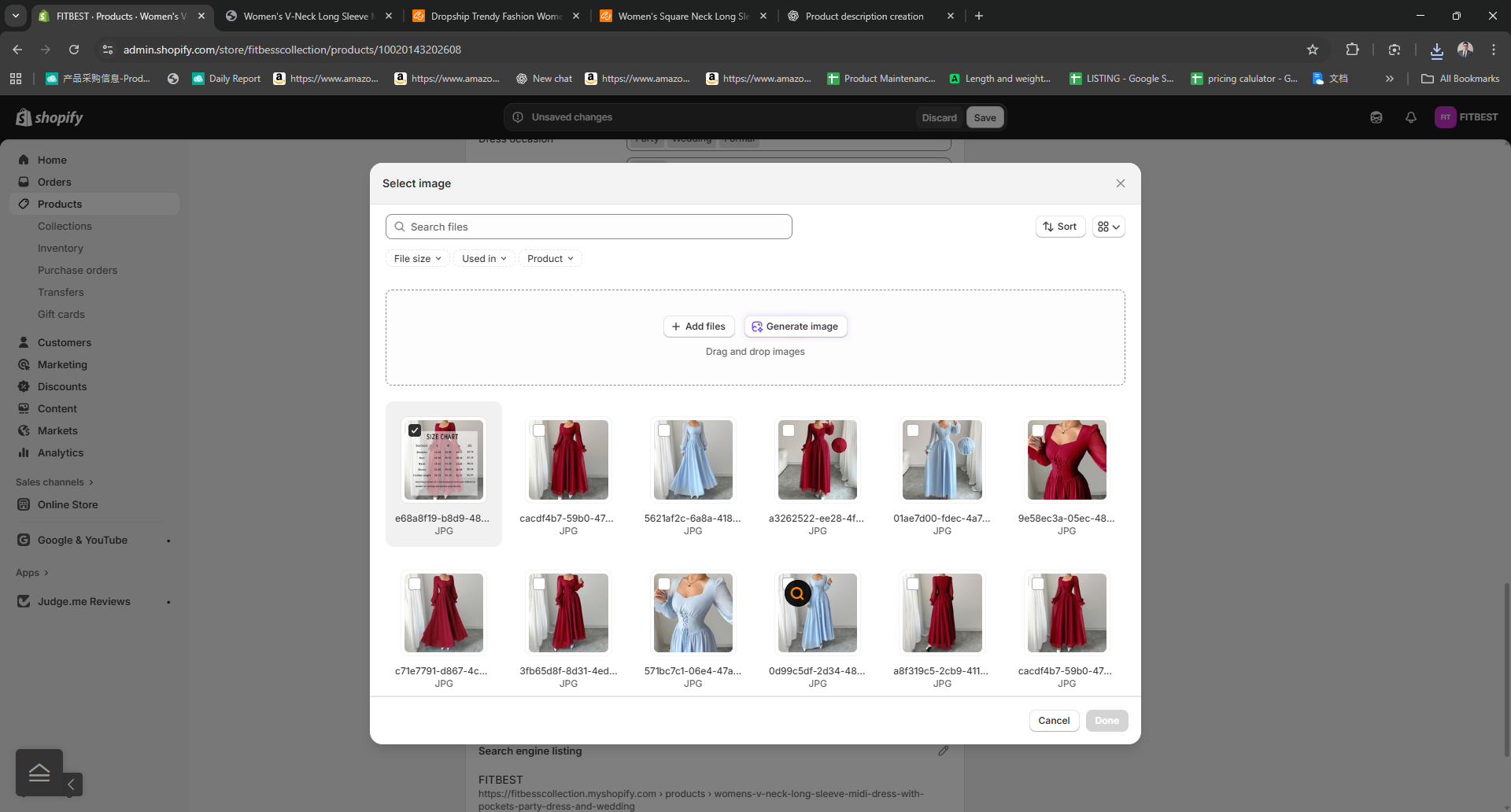
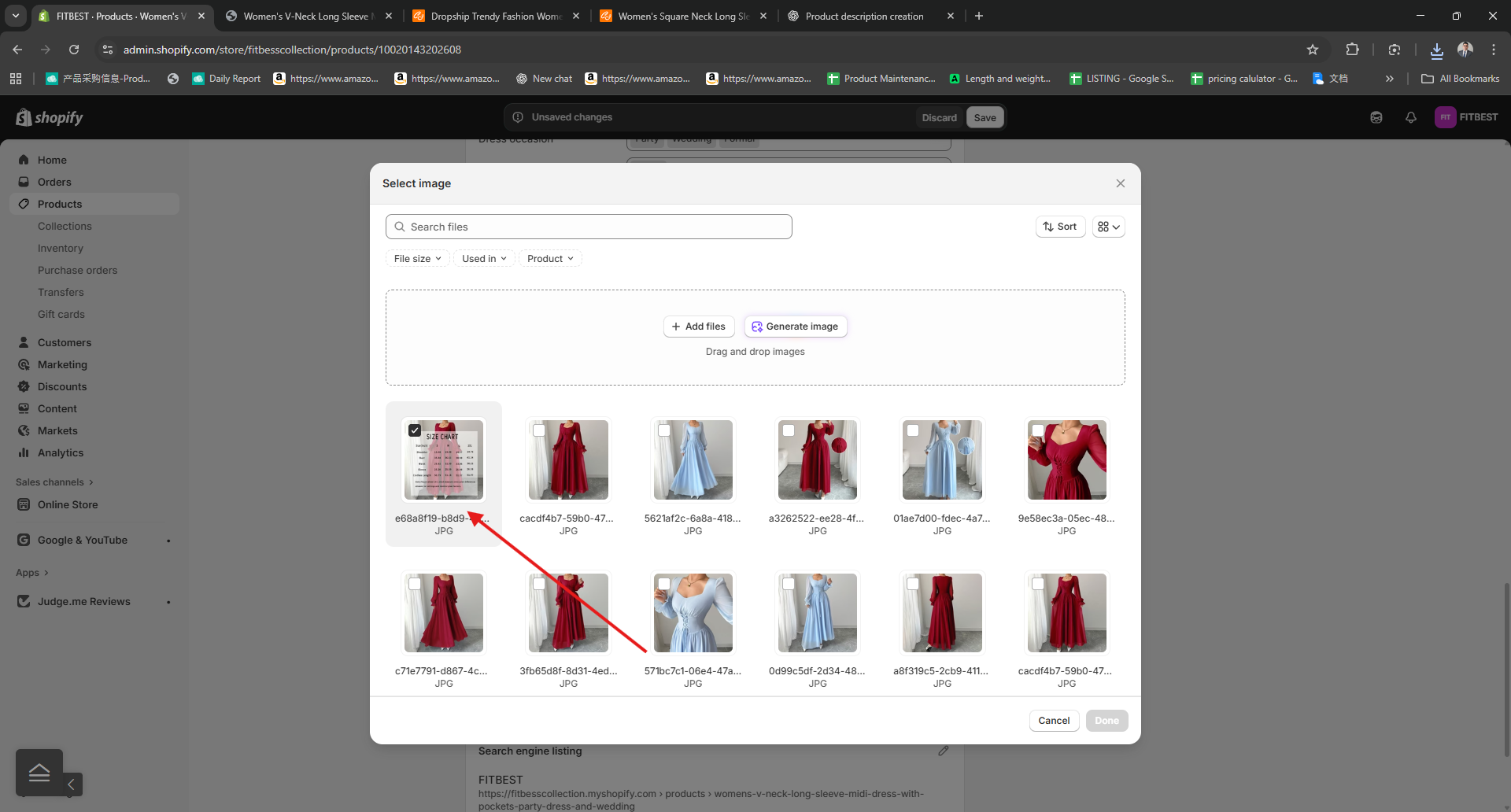
Click Done
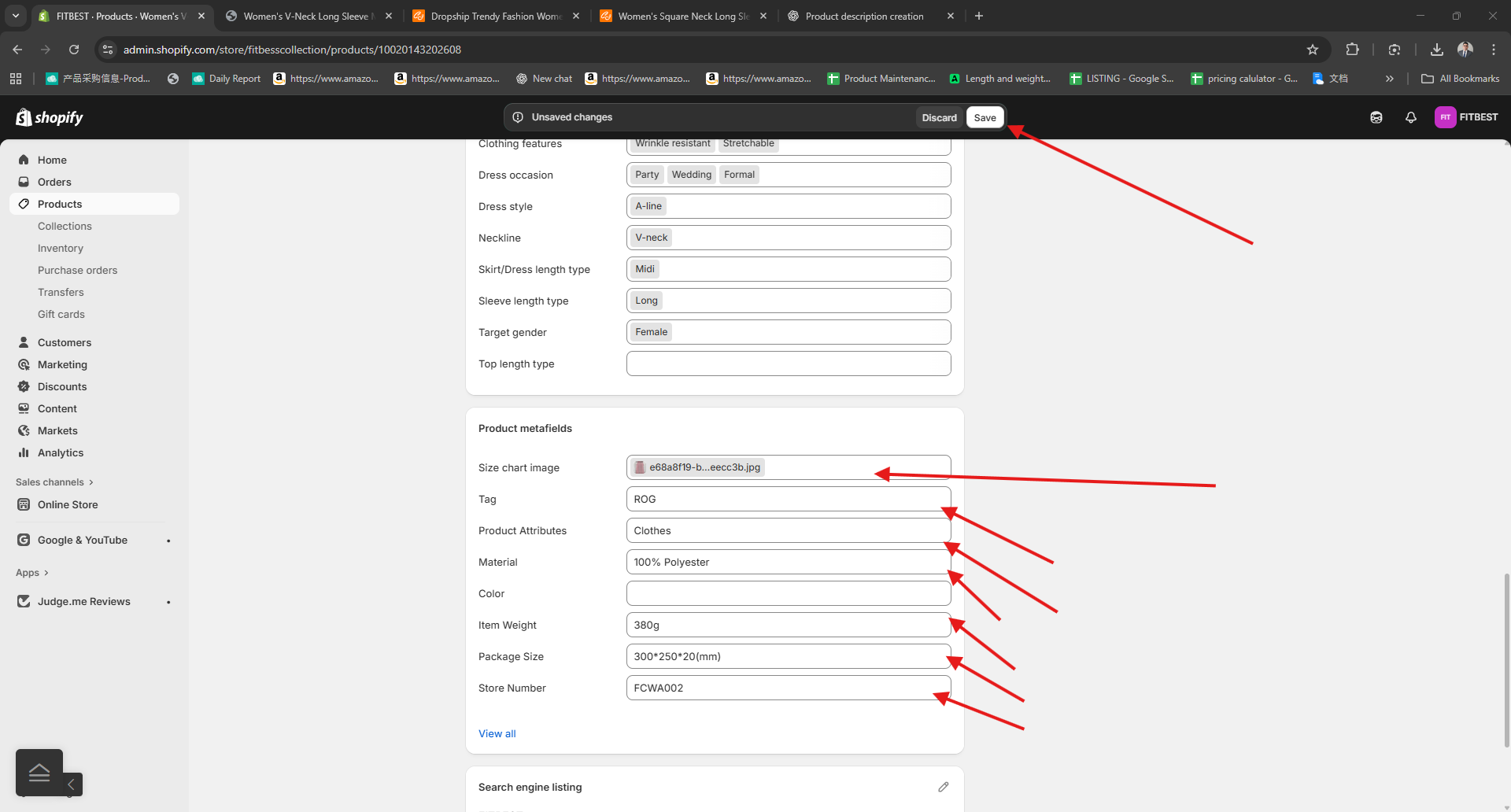
Click Save
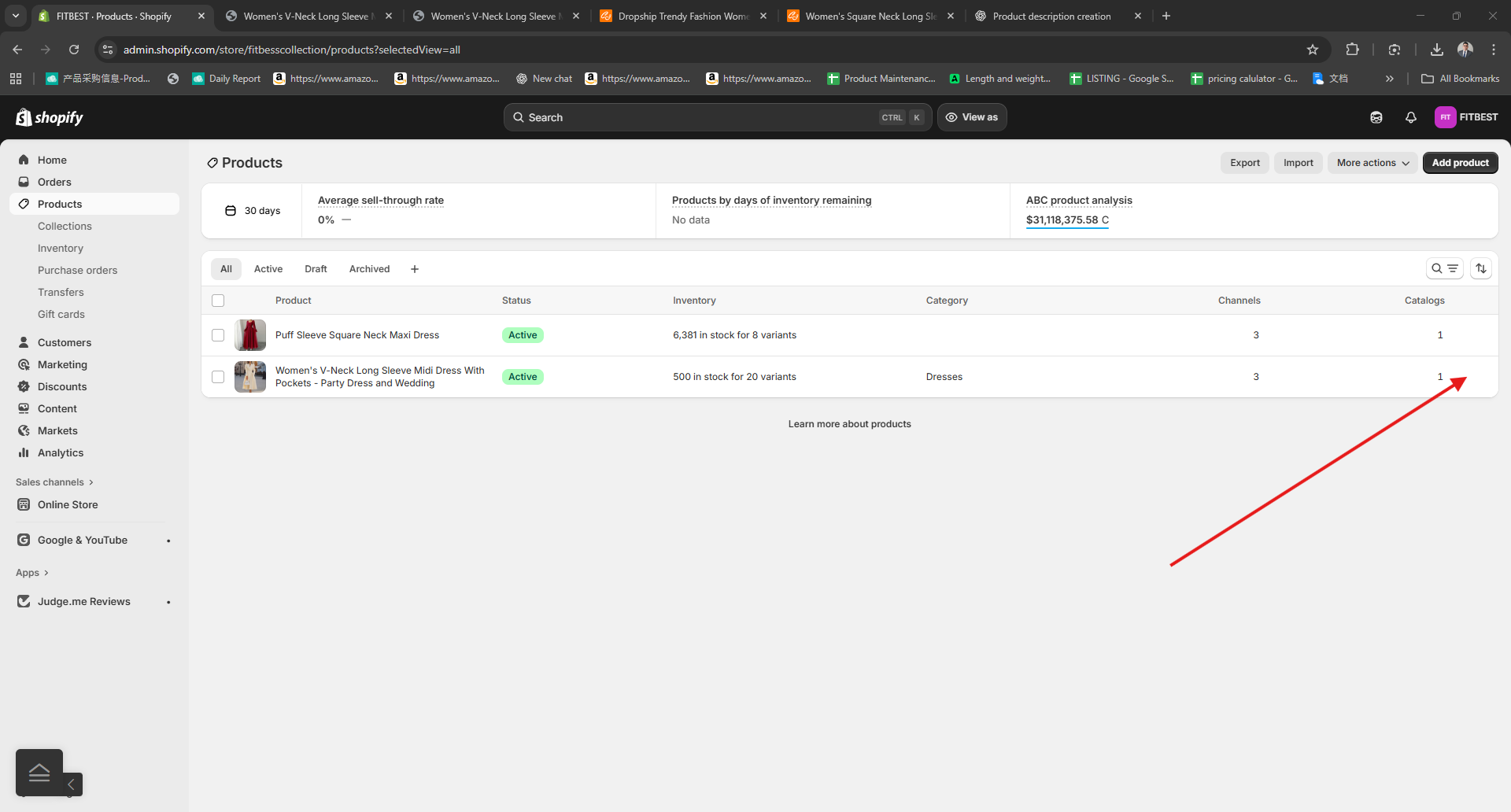
Click Products Again
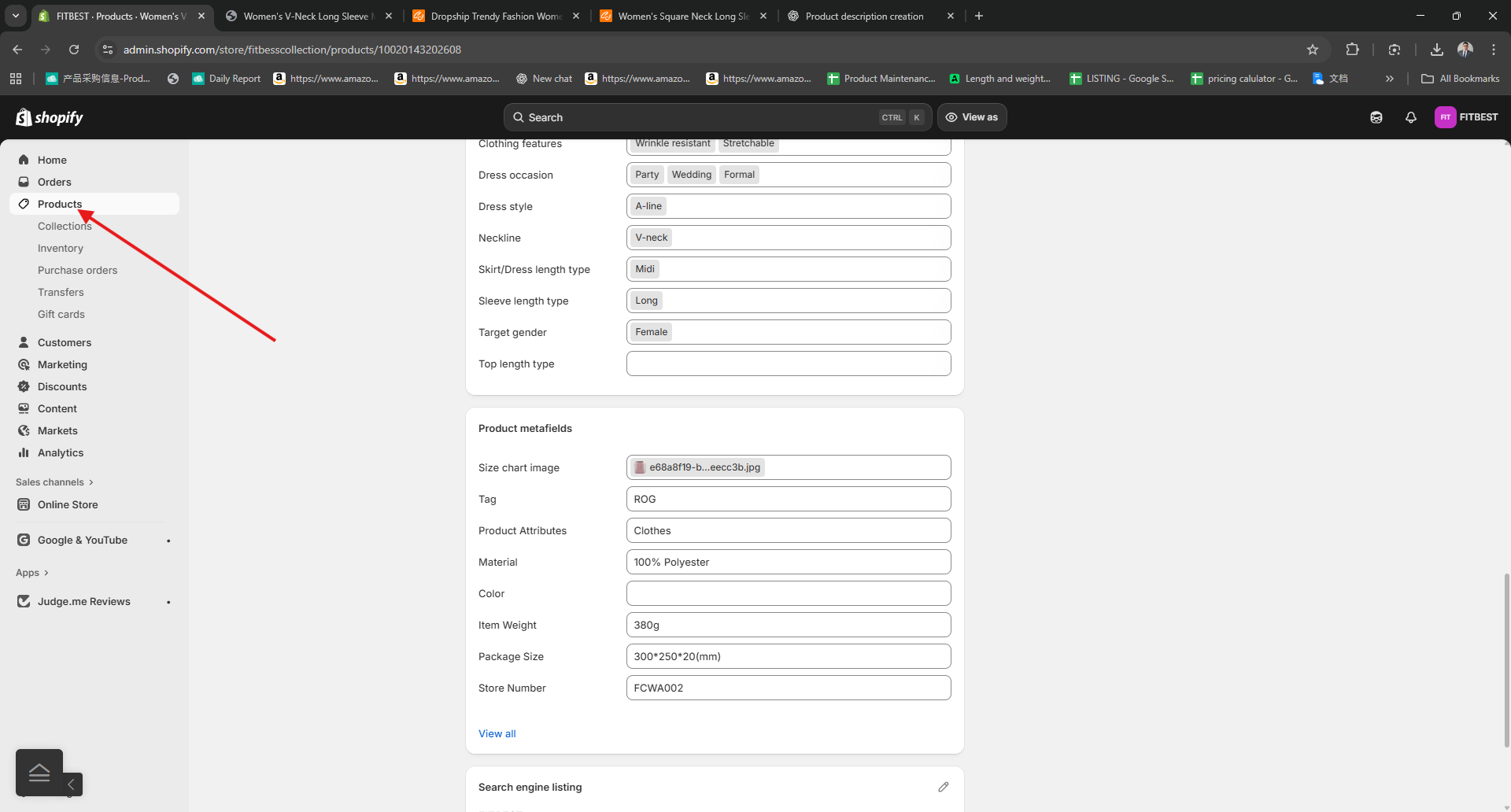
Click the EYE icon on the side of the Catalog number to open your Product landing page
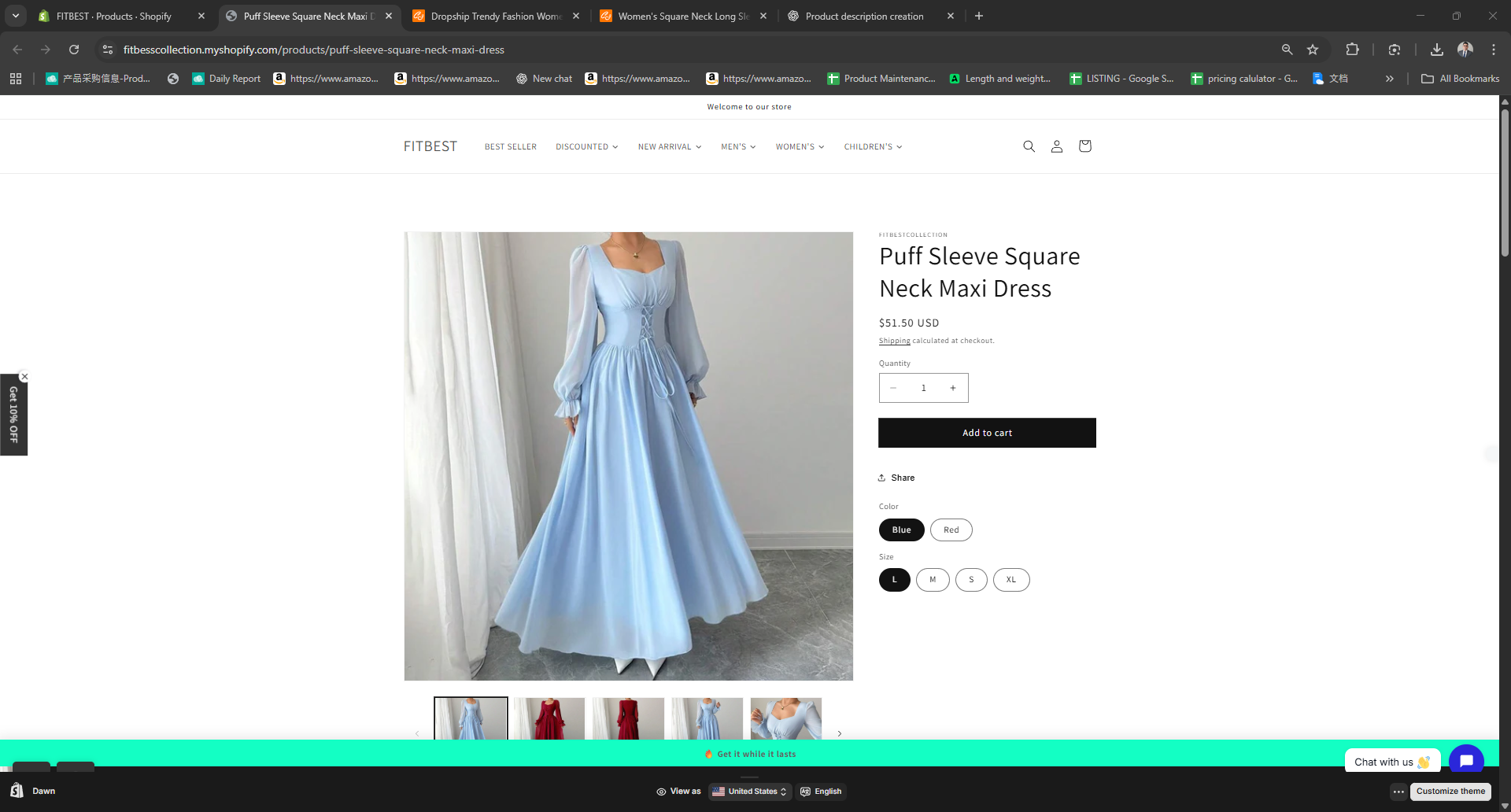
Scroll down to find the Product attribute
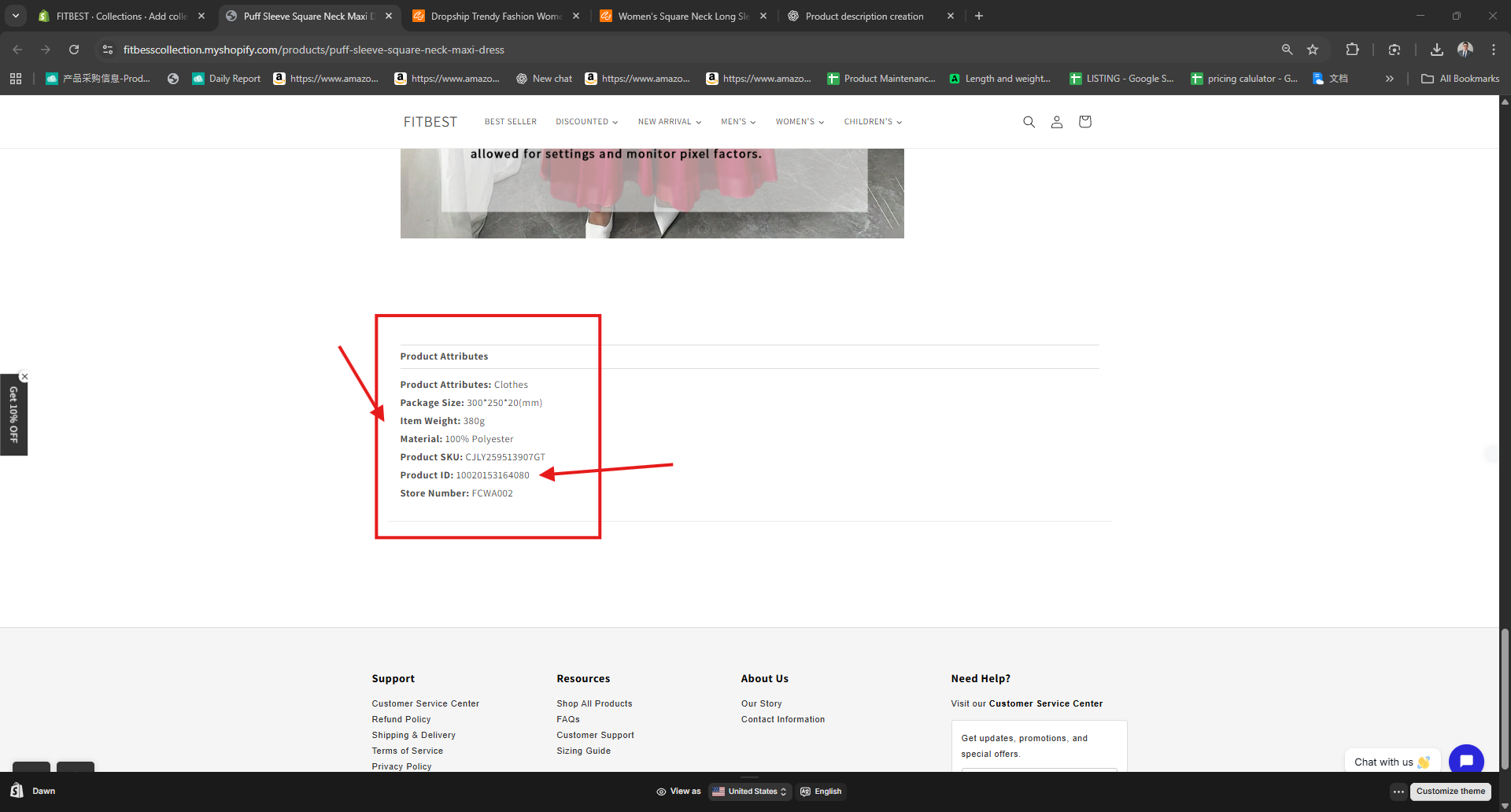
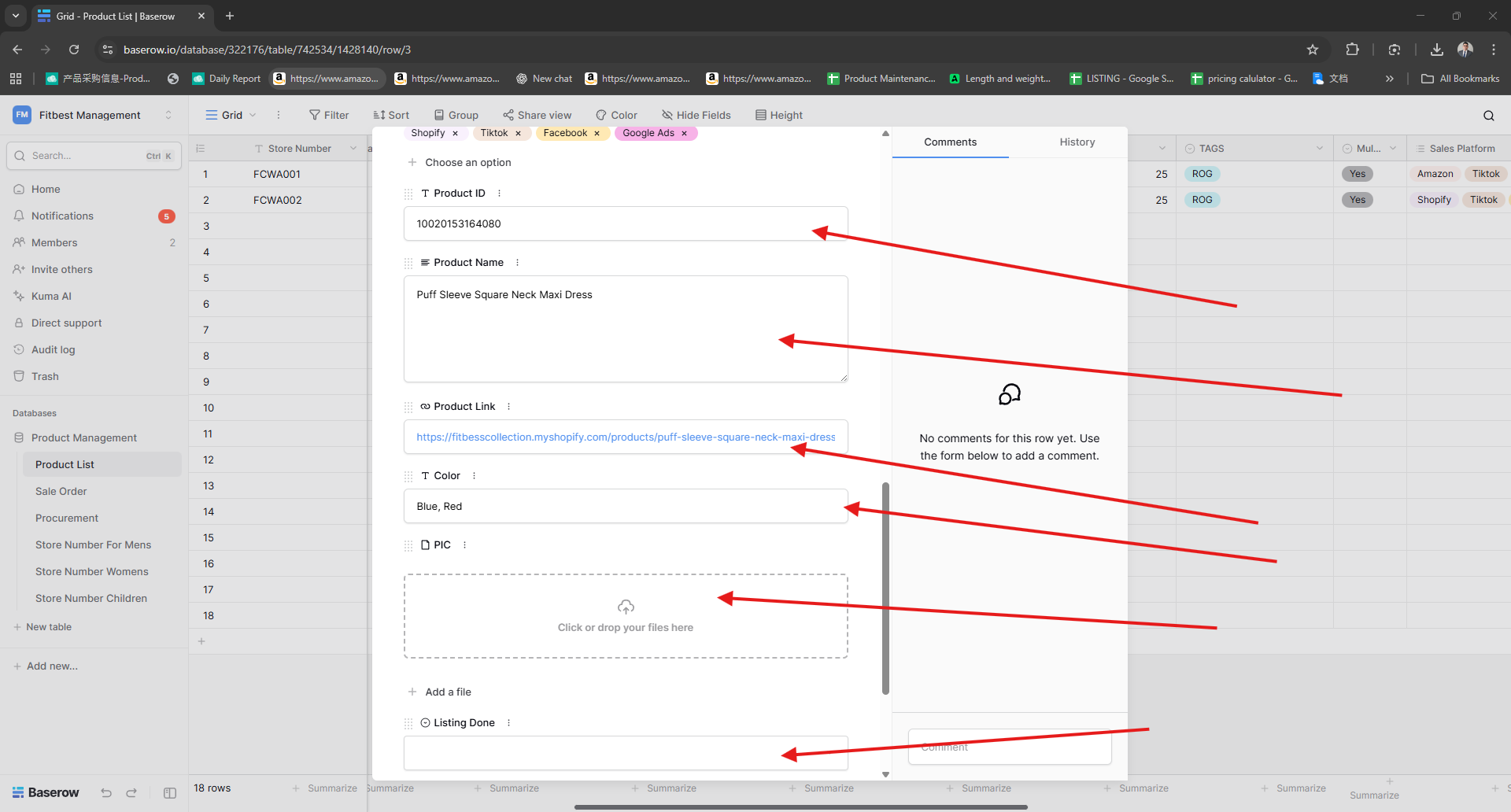
Get the Product ID, Product name and Product LInk Paste it to your Baserow
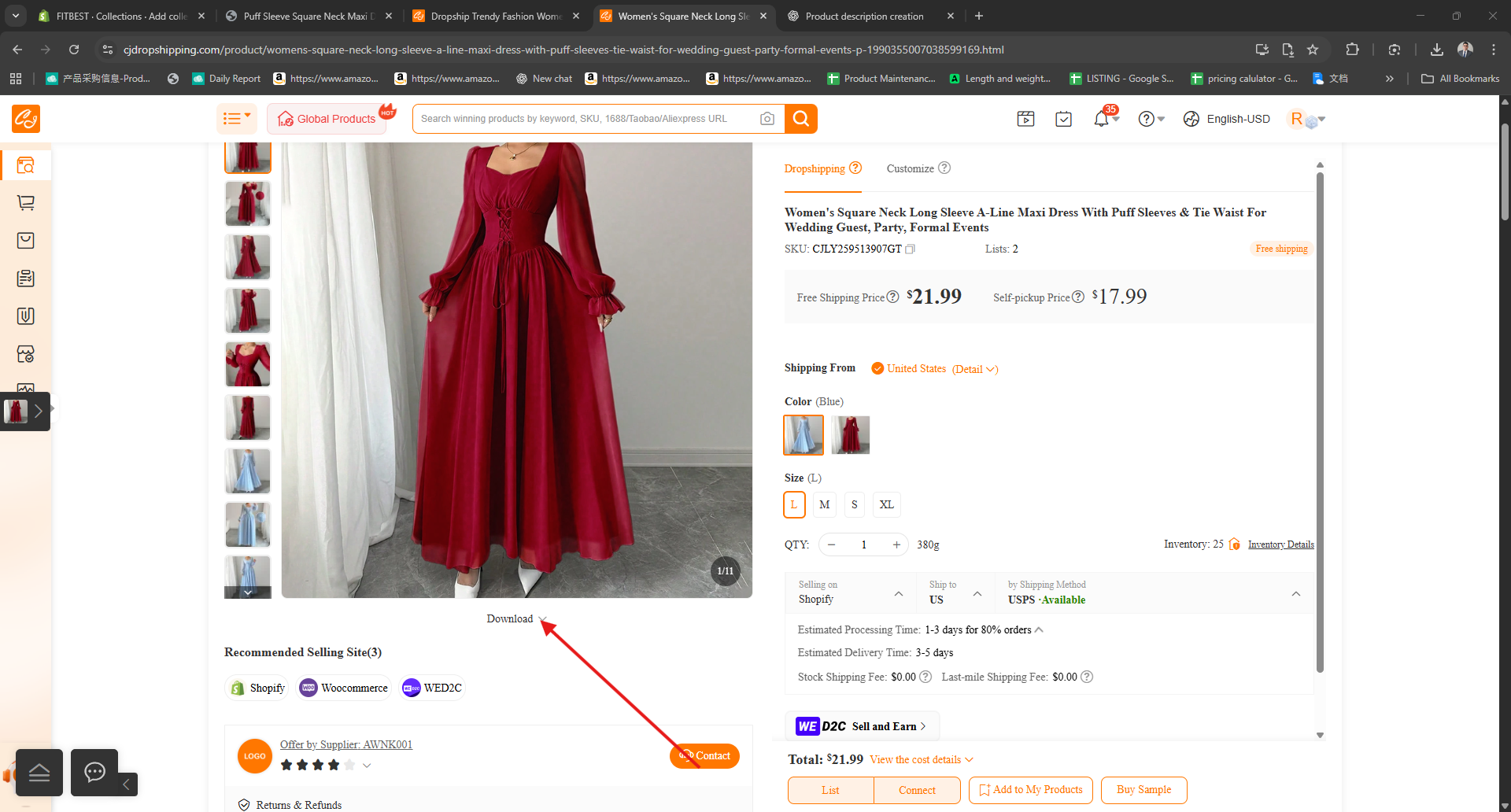
Download image
Put the Image and label as Yes and Inactive
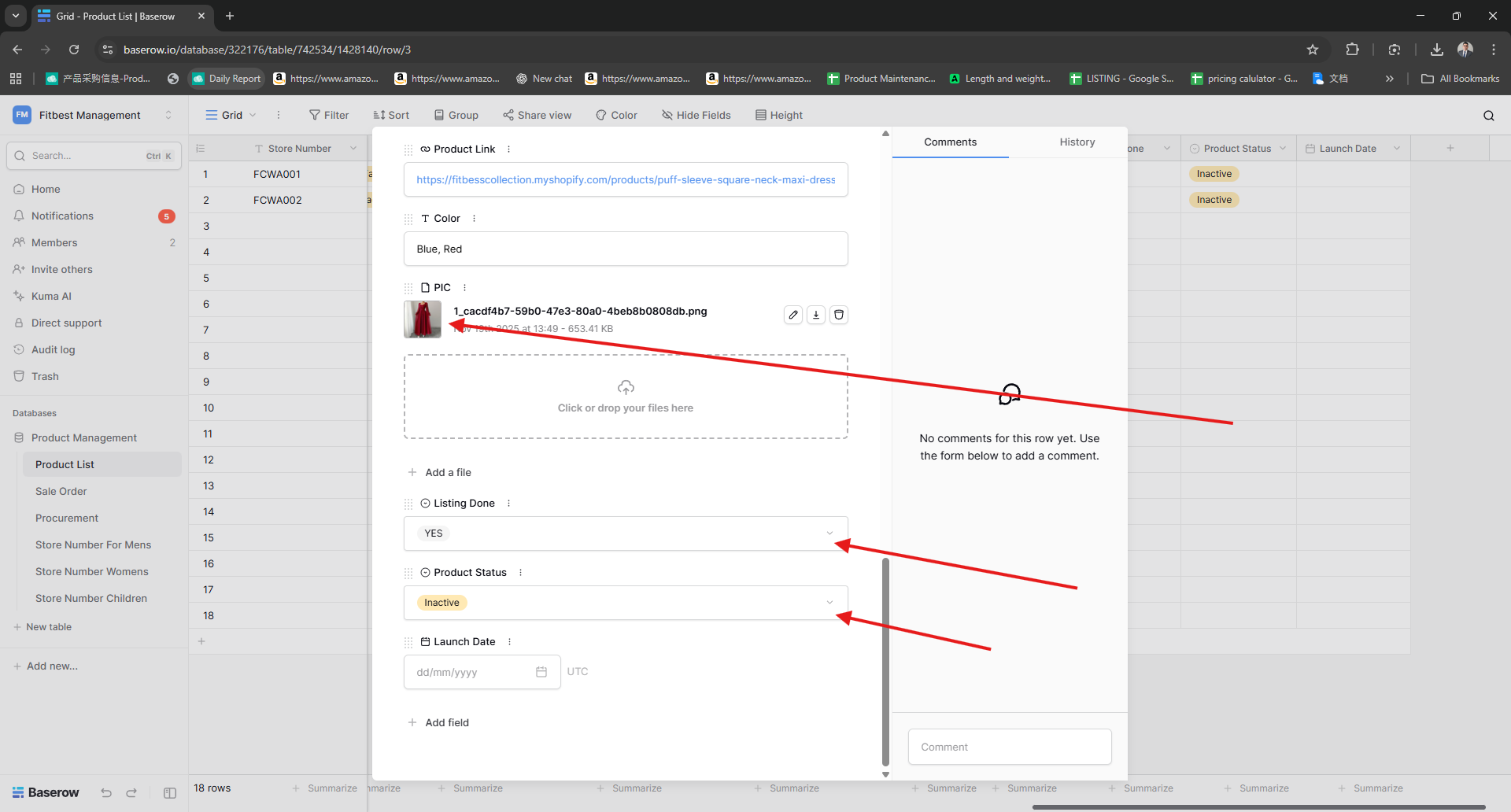
Now Your finish on your First Product
